Manyfast 200%
From a Service Built Without Planning Docs to a Clean Product Plan — A Reverse Planning Process
How to reverse-plan a service with code but no organized planning documents, using Codex and MCP to turn it into a clear product plan.

Have you ever found yourself in one of these situations?
The service was built so long ago that the planning documents are gone — only the running service remains.
It was built by an outside agency, so even your own team isn't sure what's inside.
You want to do a renewal, but you can't even get started because the current structure has never been organized.
You'd like to study a well-made service and use it as a reference for your own planning.
If you nodded at even one of these, today's post is for you.
As long as you have the code — whether it's a public open-source project or a service you own — Manyfast can extract a well-structured set of planning documents "in reverse." And we're going to show you that it actually works, by doing it ourselves.
First, let us tell you how this topic came about.
While going through customer feedback as usual, we came across this request:
"Can Manyfast re-organize a service that has already been developed?"
Hmm... that got us curious too.
Could Manyfast take an already-built service and turn it back into a complete set of planning documents?
If a service exists, its code exists. And inside that code, the features, the data flowing through it, and the screens users pass through are all implemented to some degree.
So if Codex reads that code and transfers the findings into Manyfast via the Manyfast MCP, how well can Manyfast reconstruct the structure of the existing service?
That's exactly what we decided to test in this case study!
💡 Reverse planning is possible whenever you have access to the code. If it's a public open-source project, or a service you own, you can do exactly the same thing.
A Look at the Project We'll Use
The service we'll reverse-engineer is an open-source budgeting app called Actual Budget.
It helps you record income and expenses, set budgets per category, and manage "what you can spend right now" at a glance. Its biggest characteristics are that it's "local-first" — all data is stored on the user's device before any external server — and that its code is publicly available on GitHub, so you can look directly into its structure.
We'll run this reverse-planning experiment with Codex and the Manyfast MCP.
First, let us walk you through what this service offers!
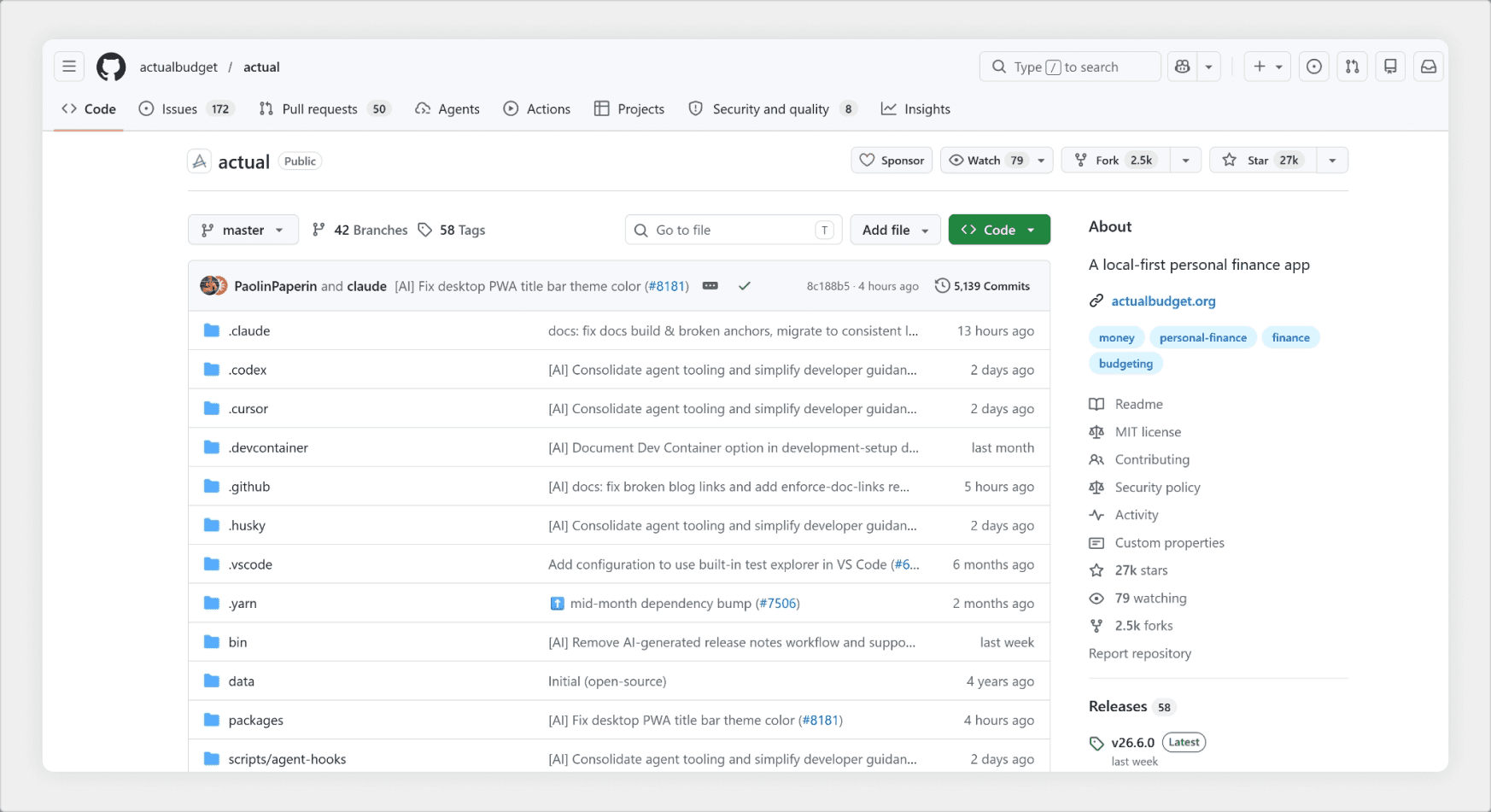
<Image : https://github.com/actualbudget/actual Screen Capture>
There are four core feature areas.
First, account & transaction management. You can create multiple accounts — checking, credit cards, and so on — and either enter transactions manually or import them automatically through bank sync. Imported transactions can be organized with categories, payees, and notes, and you can also record split transactions and transfers between accounts.
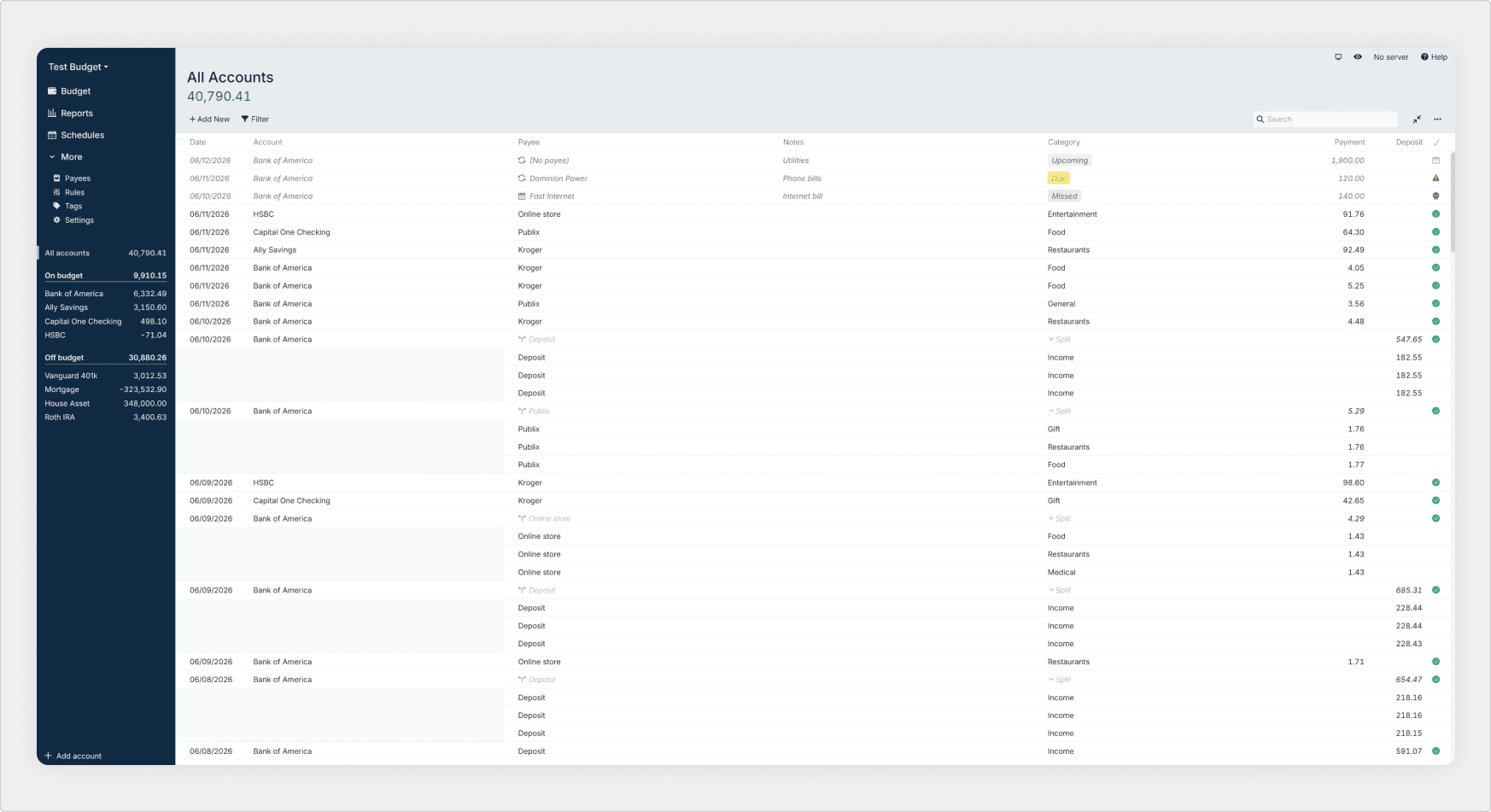
〔Accounts & Transactions screen〕
The heart of this service is budgeting. Actual Budget is built around "Envelope Budgeting" — you pre-allocate the money you have into category "envelopes." Every dollar gets a job, and leftover money naturally rolls over to the next month. You can also set per-category goals to save yourself the effort of filling in the budget every month.
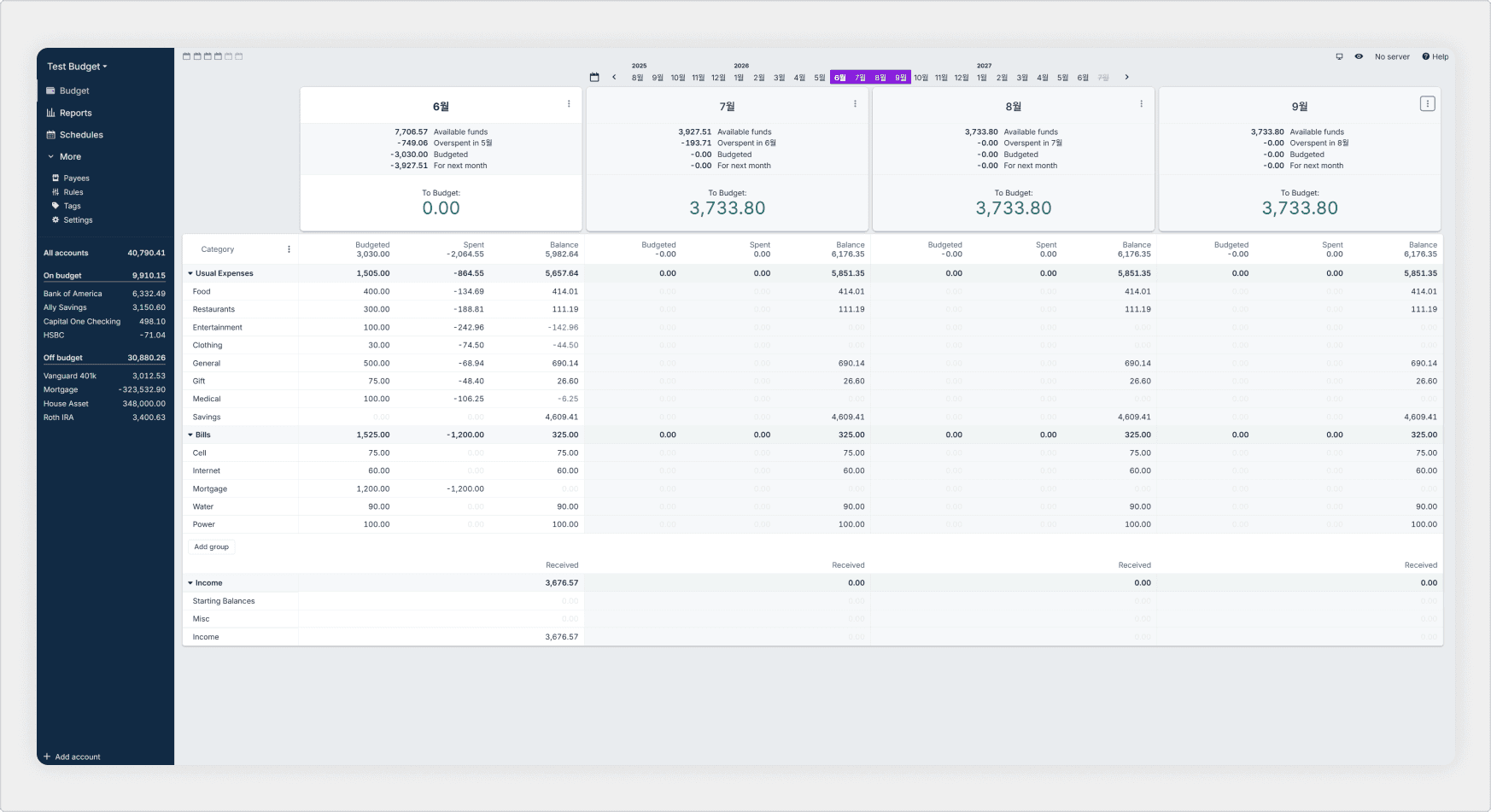
〔Monthly budget screen〕
On top of that come automation and reports. Rules automatically categorize specific transactions, and Schedules let you register recurring expenses like rent or subscriptions in advance. All that accumulated data can be reviewed at a glance through reports such as net worth, cash flow, and spending analysis.
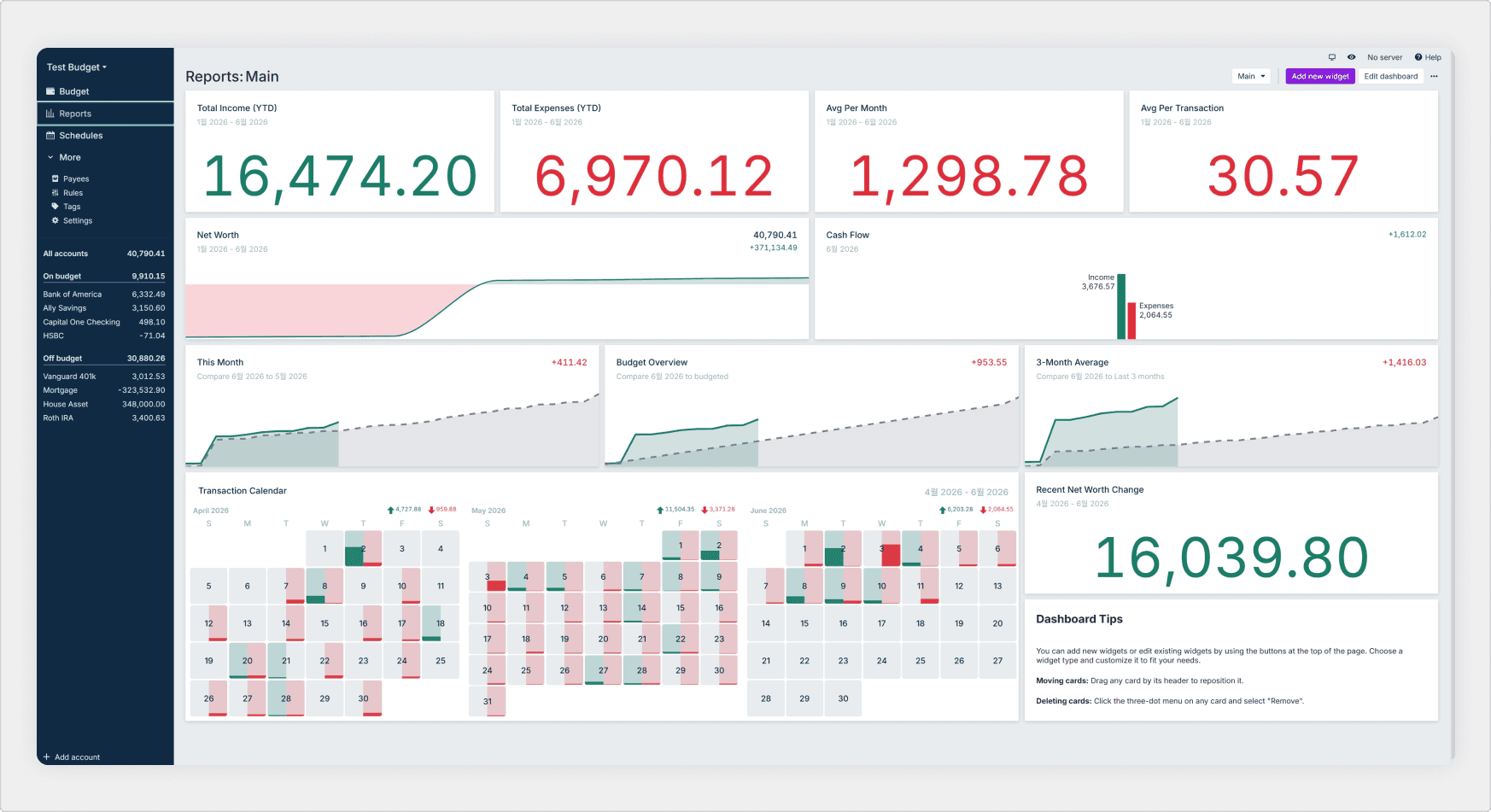
〔Reports screen〕
Beyond these, it also offers tags, payee management, and filtered search, and if you connect a separate sync server you can use it across multiple devices. It runs on web, desktop, and mobile — a service that covers all the essential flows of a personal budgeting tool.
That's enough of an overview of the service we'll be using in today's case study.
Now we'll have Codex analyze the service's code and structure. Then, using the connected Manyfast MCP, we'll organize the findings inside Manyfast as a PRD, a feature spec, and a user flow!
What we want to verify in this case is not simply "can AI summarize code?"
It's how well Manyfast can take the product's purpose, core features, user flows, and per-feature conditions hidden inside an already-developed service, and turn them into planning documents the whole team can read together.
In other words, this case is a reverse-planning experiment: we bring an already-built service back in, and see what planning structure Manyfast organizes it into — and how it turns it back into planning documents!
Let's find out what kind of planning documents an existing service becomes when you combine Codex with the Manyfast MCP, and how usable the results actually are.
👉We won't cover how to connect the MCP in this case study. Please connect the Manyfast MCP to Codex in advance by following the guide! [Connection Guide]
Step 1. Feeding the Service Structure to Codex
The first thing to do is put the code of the project we're reverse-engineering into Codex's hands. Actual Budget's code is public on GitHub, so we just clone the repository and place it where Codex can read it.
Getting the project code
First, download Actual Budget's GitHub repository locally. One line in the terminal is all it takes.
git clone <https://github.com/actualbudget/actual.git>
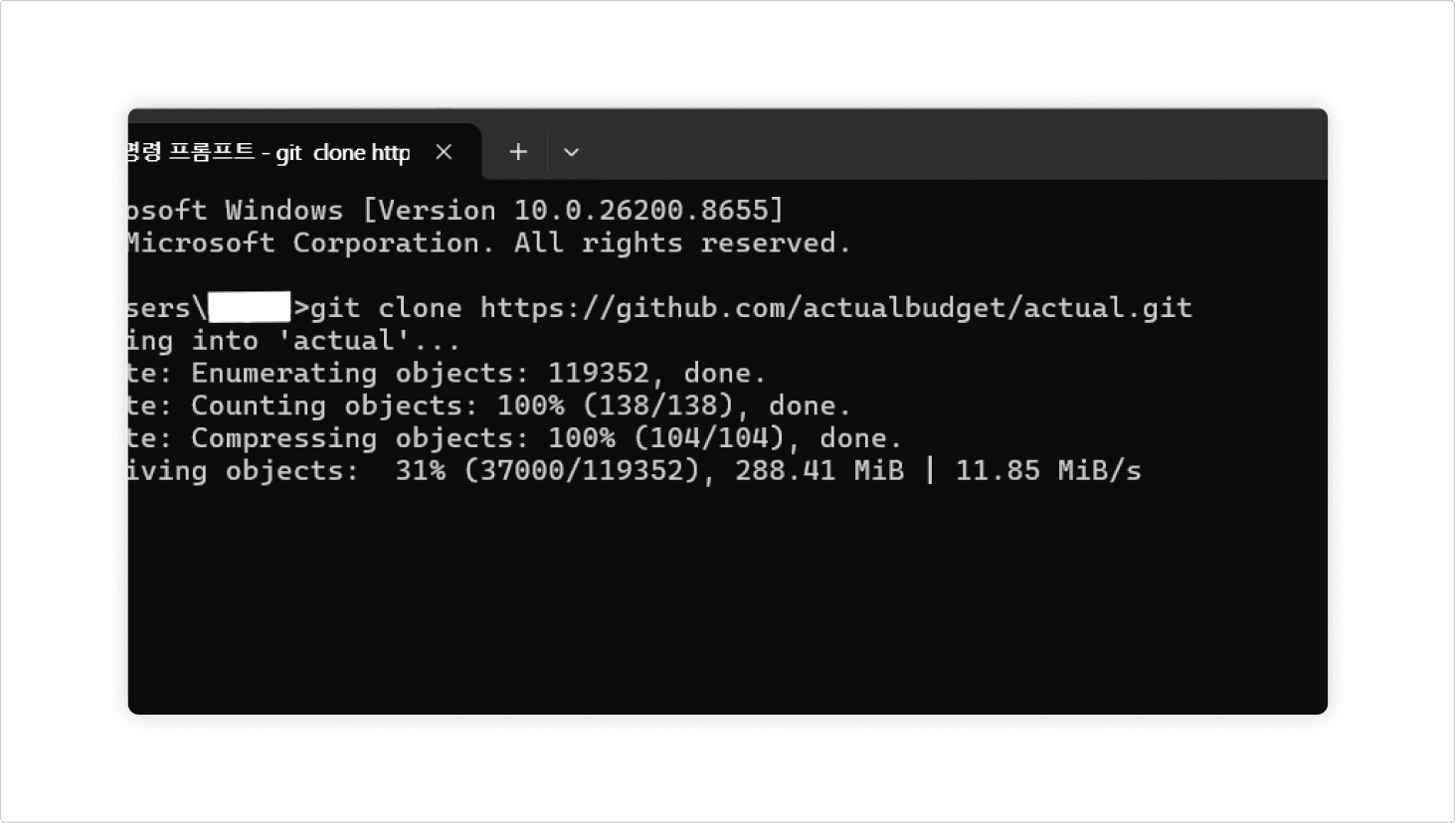
Open the downloaded folder as Codex's working directory, and you're ready. Codex will start its analysis by reading the code in this folder directly.
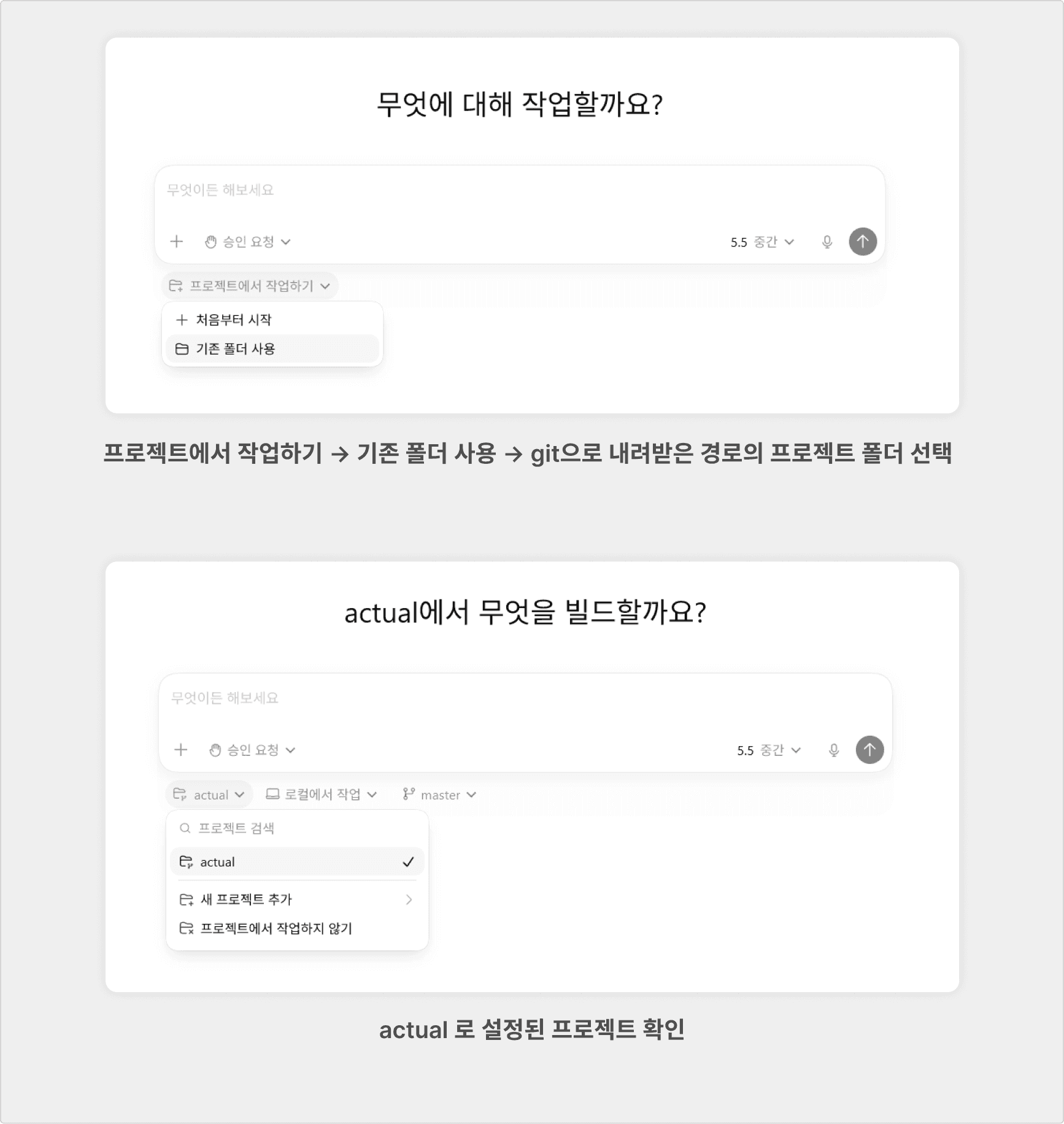
Asking Codex to analyze
Now it's time to ask Codex: "Read this code and do a preliminary analysis so we can turn it back into planning documents." Before handing things over to Manyfast, we first have Codex organize for itself what's inside the code. Let's paste in the prompt below as-is.
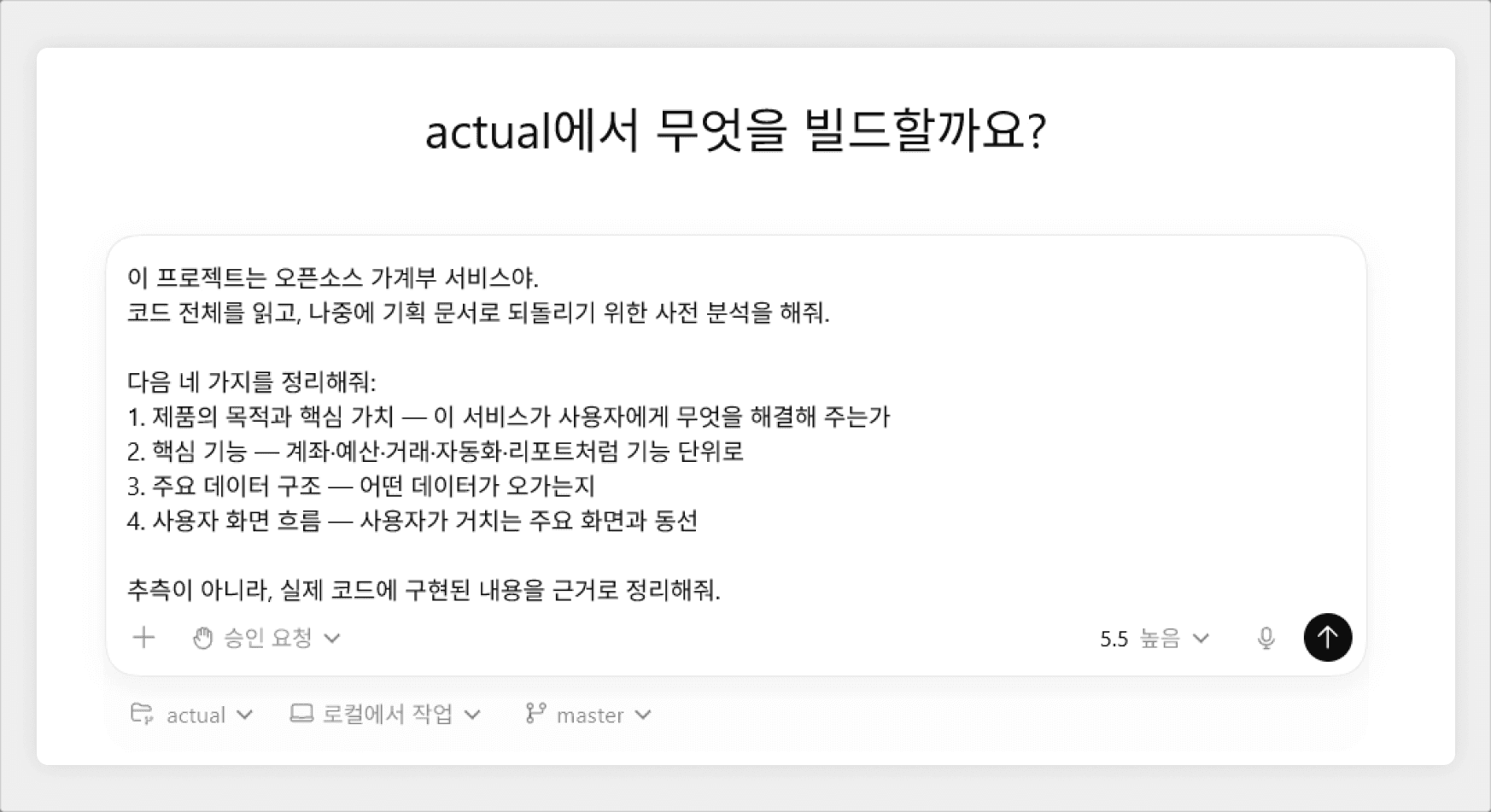
〔The prompt entered into Codex〕
Reviewing the structure Codex read out
After a short wait, Codex returns its analysis.
From the code alone, it summarized the service in one line as a "local-first budgeting app + optional sync + monthly budgeting" product, and it identified every core feature — accounts, transactions, budgets, rules, schedules, and reports. It even cited the README's 'local-first personal finance tool' description and the actual code behavior as evidence!
The features we introduced earlier — Codex organized them all from the code alone, without anyone telling it.
This output becomes the "raw material" we'll move into Manyfast in the next step.

〔Part of Codex's analysis output〕
Step 2. Moving It into Manyfast via MCP
This is where the real experiment begins!
It's time to hand the structure Codex read from the code over to Manyfast. Now we get to see whether that scattered code analysis gets re-composed inside Manyfast into proper planning documents — a PRD, a feature spec, and a user flow!
Asking Manyfast to organize it
Next, we ask Codex to transfer its analysis through the Manyfast MCP.
But before that, make sure these two things are in place!
The Manyfast MCP must be connected to Codex.
Use the connection guide linked in the introduction to complete the MCP setup.
Create an empty project in Manyfast before entering the prompt.
The Manyfast MCP can't create a new project by itself — its role is to fill in an existing one. So create an empty project in Manyfast first, then tell Codex the project's title. Codex will then fill in the PRD and feature spec for you.
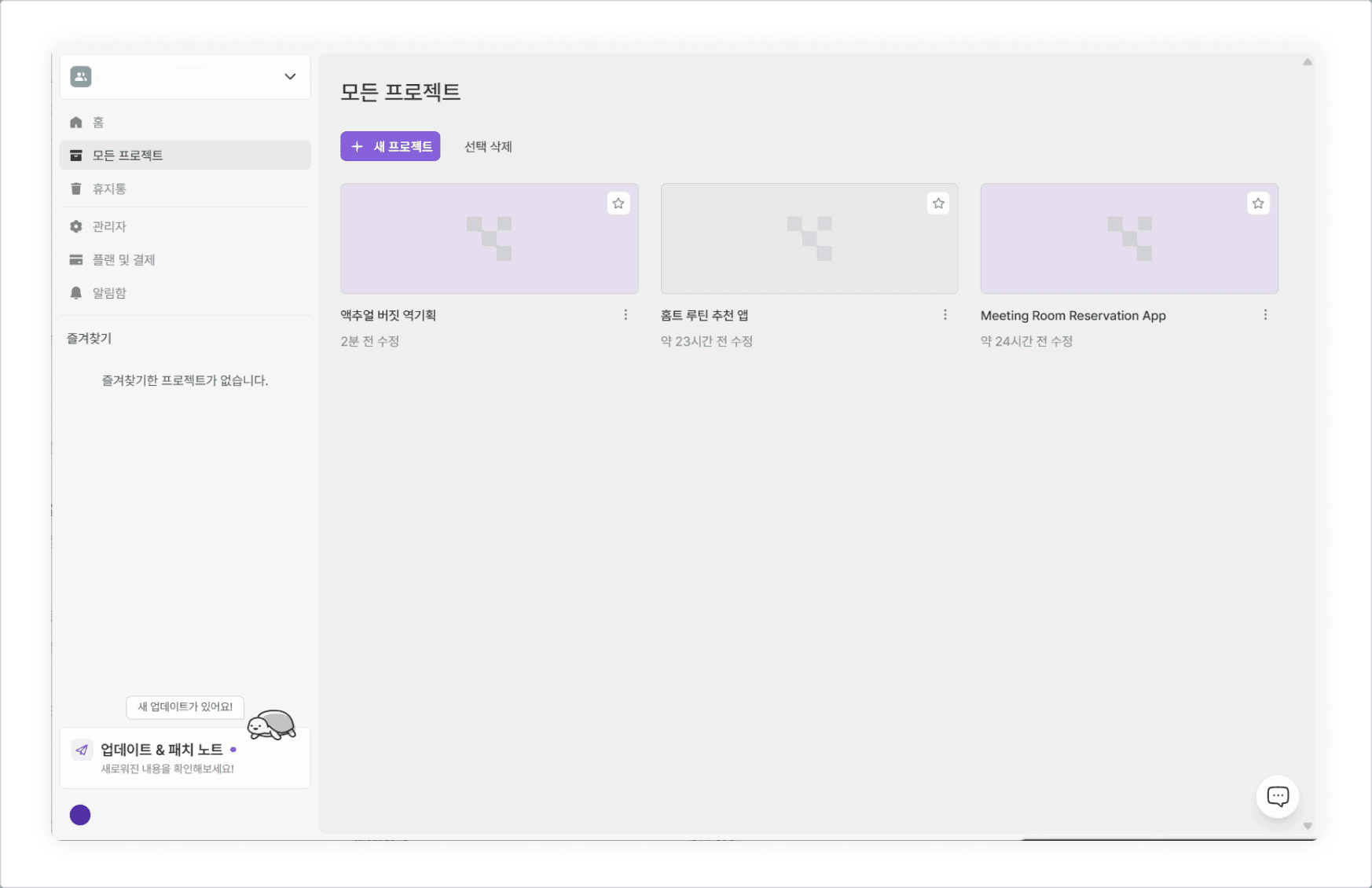
〔Manyfast screen with the empty project (Actual Budget Reverse Planning) created〕
Of course, even if these two conditions aren't met, agents like Codex or Claude will guide you through them before proceeding. Either way, both must be satisfied to move forward, so keep that in mind.
Now let's enter the prompt!

〔Codex calling the Manyfast MCP tools〕
Automatic organization into a PRD and feature spec
Once you enter the prompt, Codex calls the Manyfast MCP tools one after another, filling the empty project with everything from the PRD to the feature spec. This is the moment when what used to be a pile of code is transferred into planning documents the whole team can read. After a short wait, you'll see the documents created inside the Manyfast project.
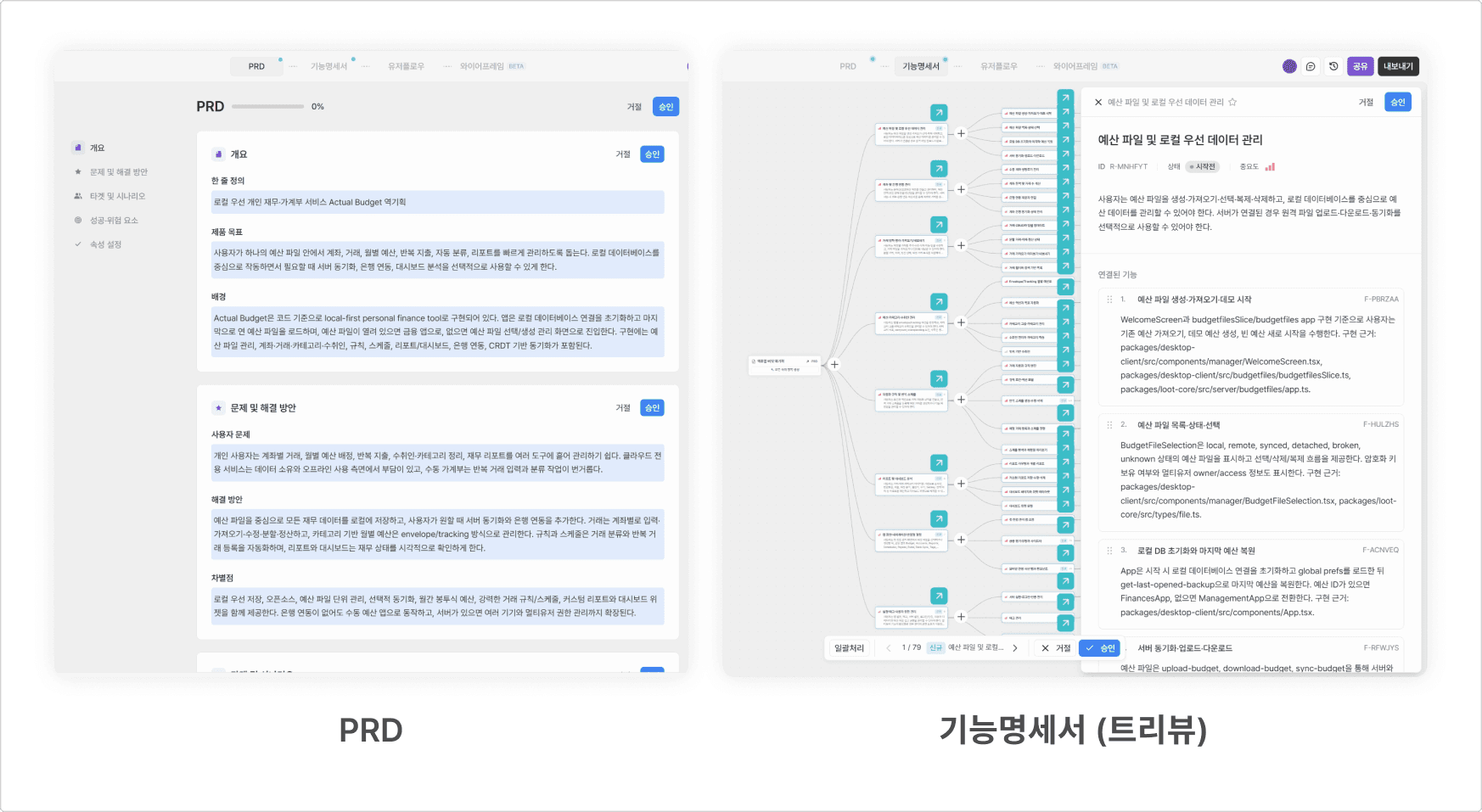
We'll approve everything in bulk to fill in the documents, then move on to generating the user flow.
Generate the user flow inside Manyfast
Once the PRD and feature spec are filled in, the user flow can be created right inside Manyfast. Based on the planning content organized so far, Manyfast will draw the user's screen flow for you.
When the "documents filled in by MCP" and the "flow drawn by Manyfast" come together in one project, the reverse planning that started from code is finally complete as one full set of planning documents.
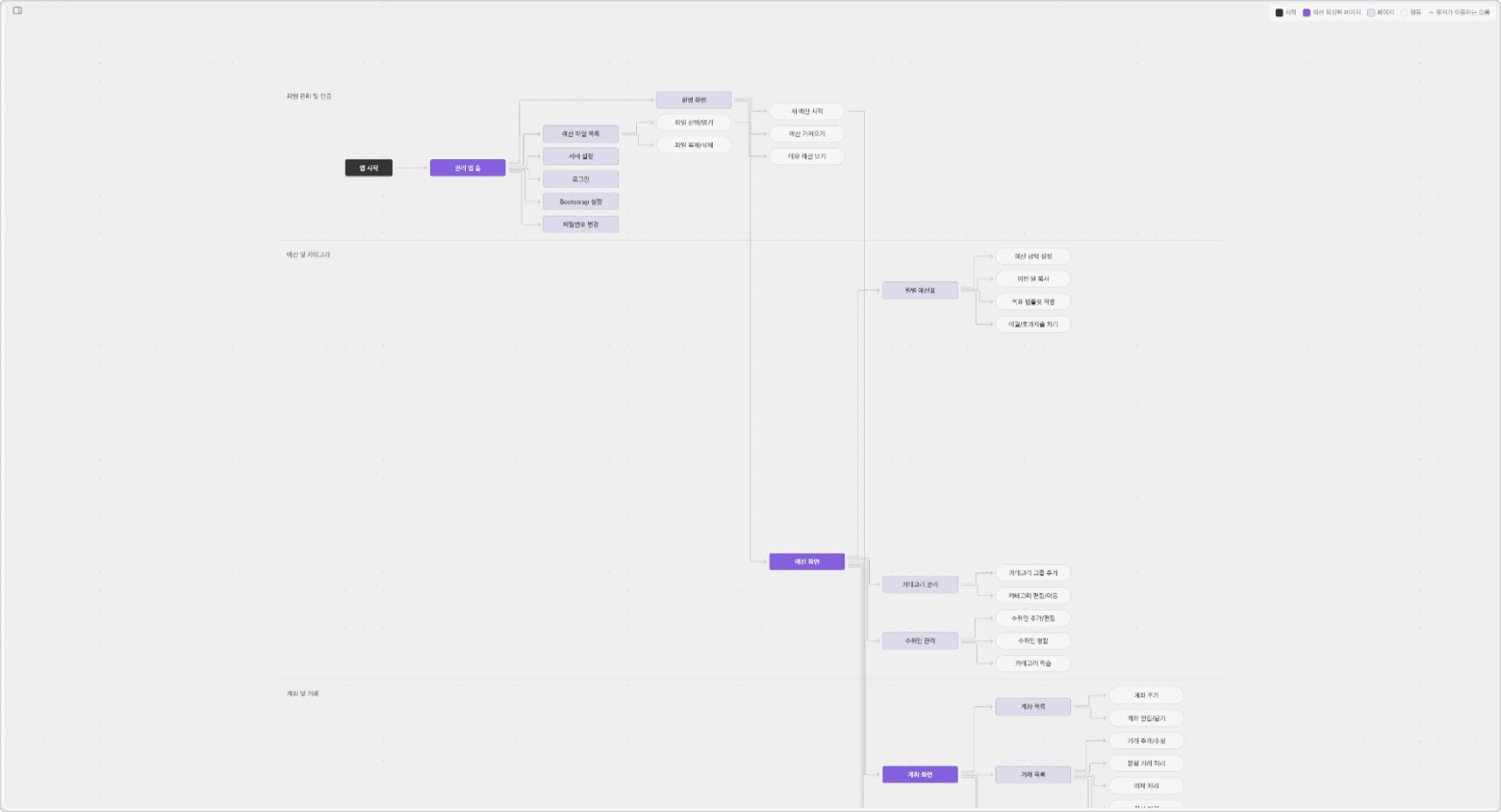
〔User flow generated in Manyfast〕
Step 3. Dissecting the Generated Planning Documents
Now for the part we were most curious about. Let's dig into what kind of planning documents the code-based analysis became inside Manyfast — and whether the features we introduced at the beginning really made it in.
Did all the features we introduced make it in?
Inside Manyfast, 8 requirements, 32 features, and 39 specs were created. Matched against the core features we introduced earlier, everything came through.
Feature we introduced | Manyfast requirement |
|---|---|
Account & transaction management | Account & bank sync / Transaction entry, organization & import |
Budgeting | Budget, category & payee management |
Automation | Automation rules & recurring schedules |
Reports | Reports & dashboard analytics |
On top of that, local-first data management, screens & navigation, and settings, tags & permissions were added — making it even more thorough than our own introduction. We browsed the Manyfast feature spec in tree view and exported it to Excel, and the feature organization was excellent!
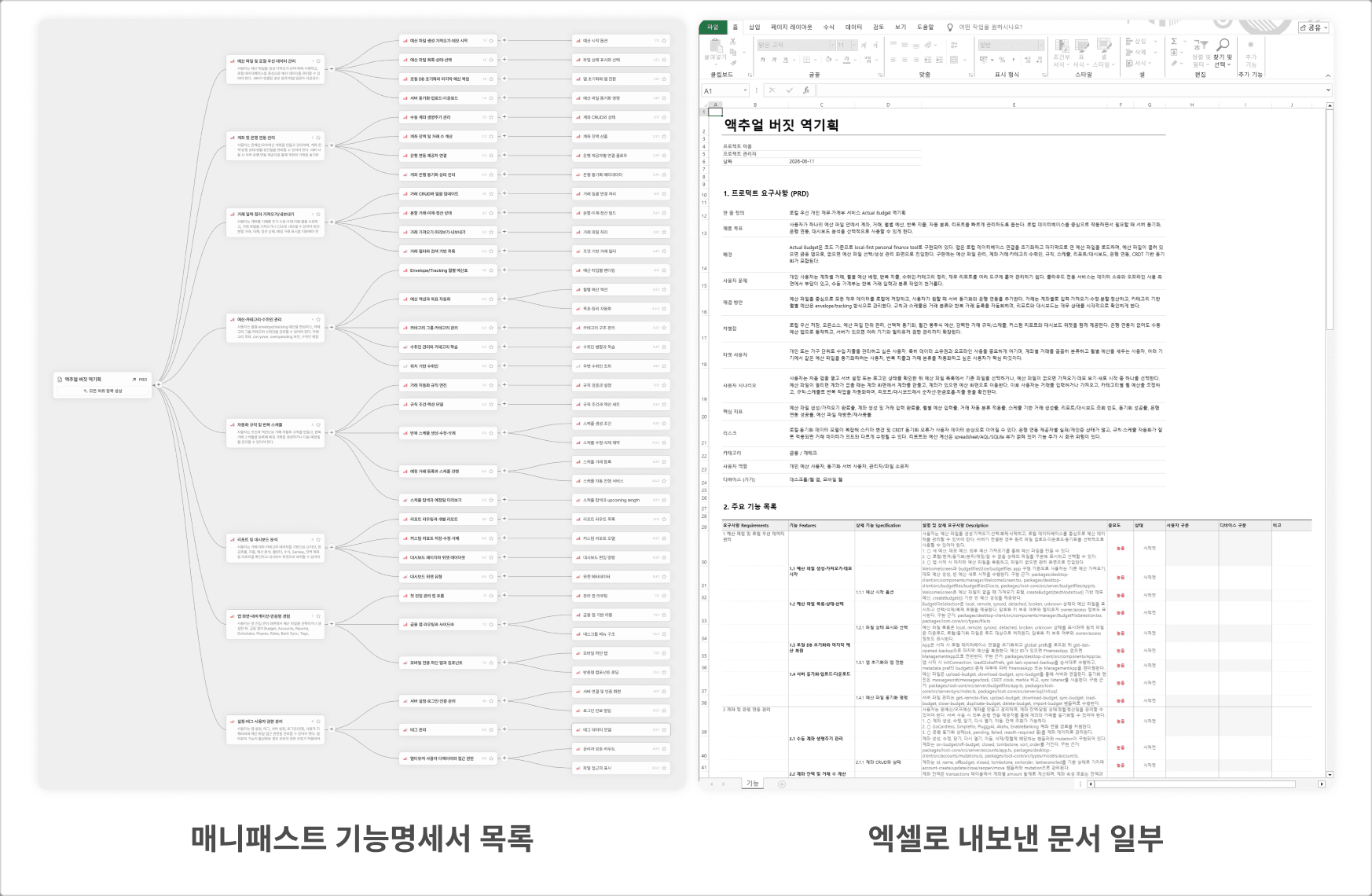
〔Full Manyfast feature spec list & part of the Excel export from Manyfast〕
How can this content be so specific?
Okay, lots of features were captured — but here's the real question.
"Did it write this accurately based on the code, or did it just make up something plausible?"
So we picked one item and cross-checked it against the actual code. For example, the spec for the tag feature reads:
Tags have id, tag, color, description, tombstone, and hidden fields, and are managed through the tags-get/create/update/delete APIs and ManageTagsPage.
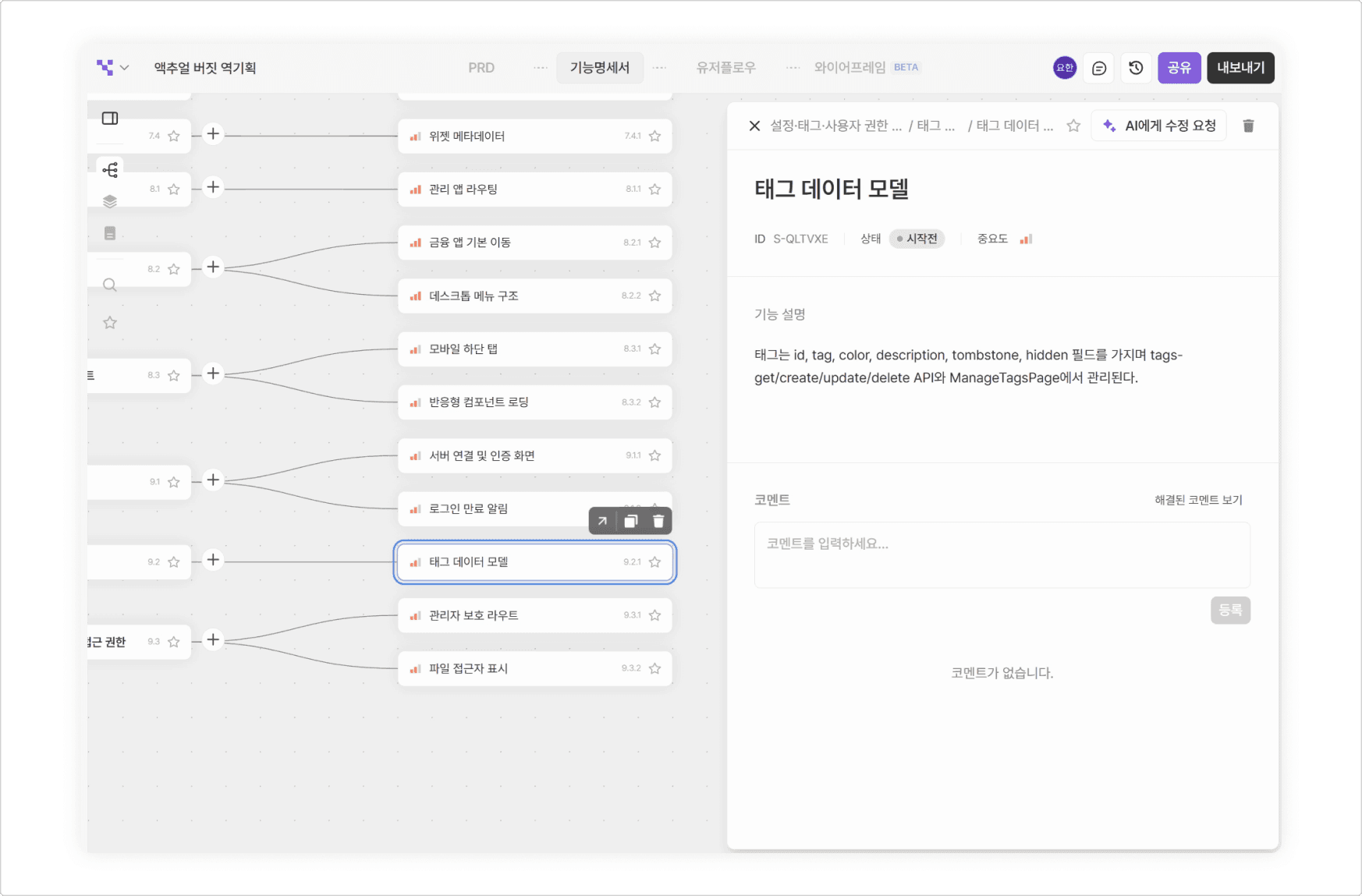
〔Capture of the tag feature description generated in Manyfast〕
It looks unfamiliar with all the code terms mixed in, but it's not hard once unpacked.
id, tag, color, description, tombstone, hidden— the data fields a single tag holds. Simply put: the tag's name (tag), color, description, and whether it's hidden (hidden). (id is the identifier; tombstone is an internal marker used for sync.)tags-get / create / update / delete— the set of operations for loading, creating, editing, and deleting tags. In other words, the classic create-read-update-delete.ManageTagsPage— the actual screen where tags are managed.
What's worth noticing is that this isn't a vague description — it pinpoints the actual names and screens from the code.
Because we asked in Steps 1 and 2 to "organize based on code evidence," Codex didn't gloss over things abstractly — it filled everything in with evidence pulled from the real implementation. In fact, each item even ends with a source citation like "Implementation evidence: …/tags/app.ts", showing exactly which file it came from.
In other words, what landed in Manyfast wasn't imagination — it matched the code evidence precisely. The reverse planning didn't just summarize; it captured the real structure.
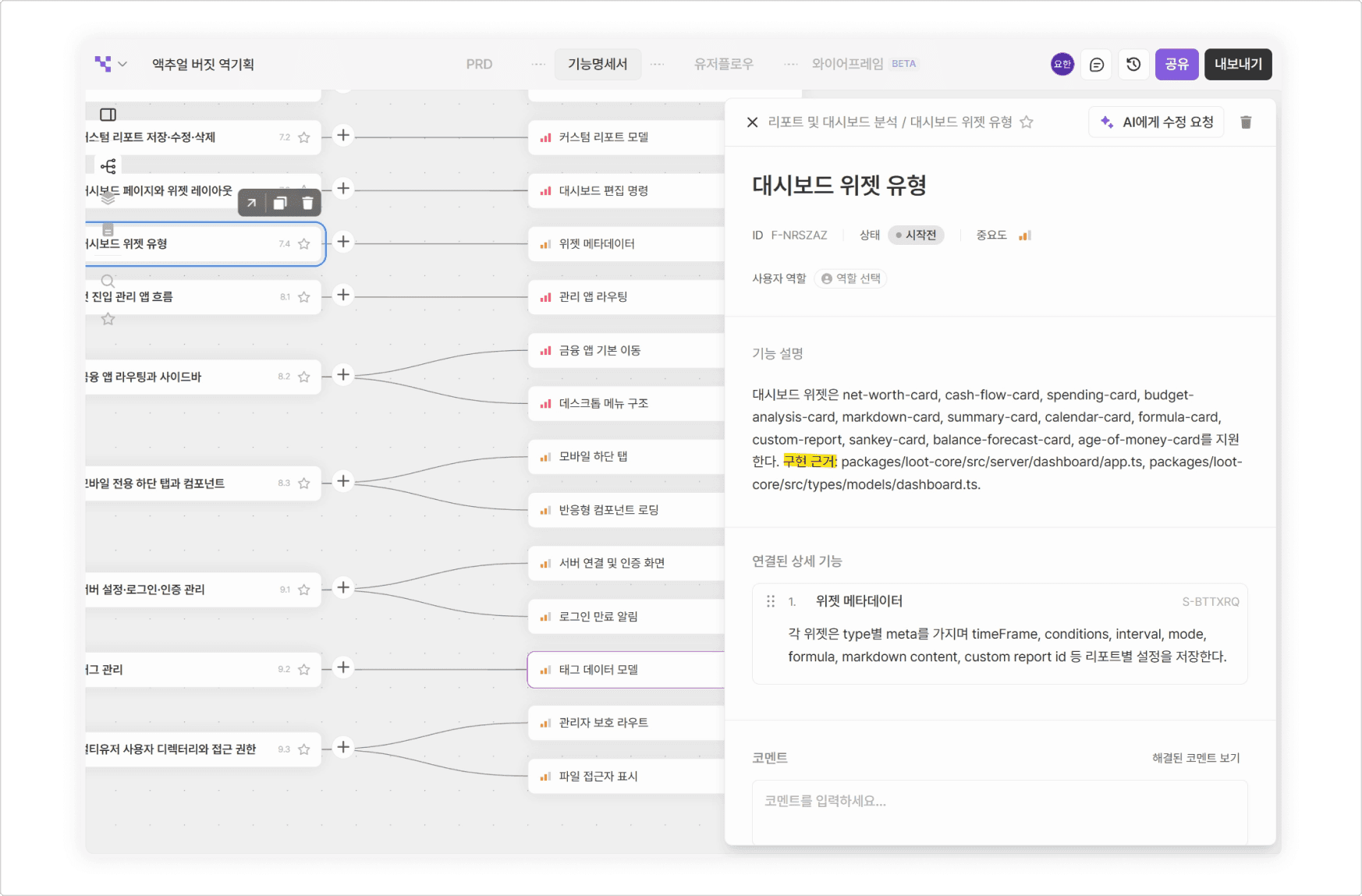
〔A spec in Manyfast with its implementation evidence written as code references〕
Step 4. One Step Further — A Spec Humans Can Read
A write-up faithful to code evidence, like the one Codex produced, has accuracy as its big strength. But as-is, it falls short of what we'd call a "product spec."
For a developer who has the code, it's a wonderfully helpful "map." But for someone handed only this document, without the code, it can be rather unfriendly.
In other words, it becomes a spec written in terms only code-literate people can parse — one that ordinary readers can't understand.
But that doesn't mean we have to edit the documents by hand! Let's ask Codex with another prompt.
Codex takes the prompt, goes back into Manyfast, and rewrites the same content in sentences that are easy for people to read.
The tag feature, once packed with code terms, changed like this:
Before — code-evidence tone
Tags have id, tag, color, description, tombstone, and hidden fields, and are managed through the tags-get/create/update/delete APIs and ManageTagsPage.
After — product-spec tone
The user can set a tag's name, color, and description to organize transactions in finer detail, and can hide or delete tags they no longer need.
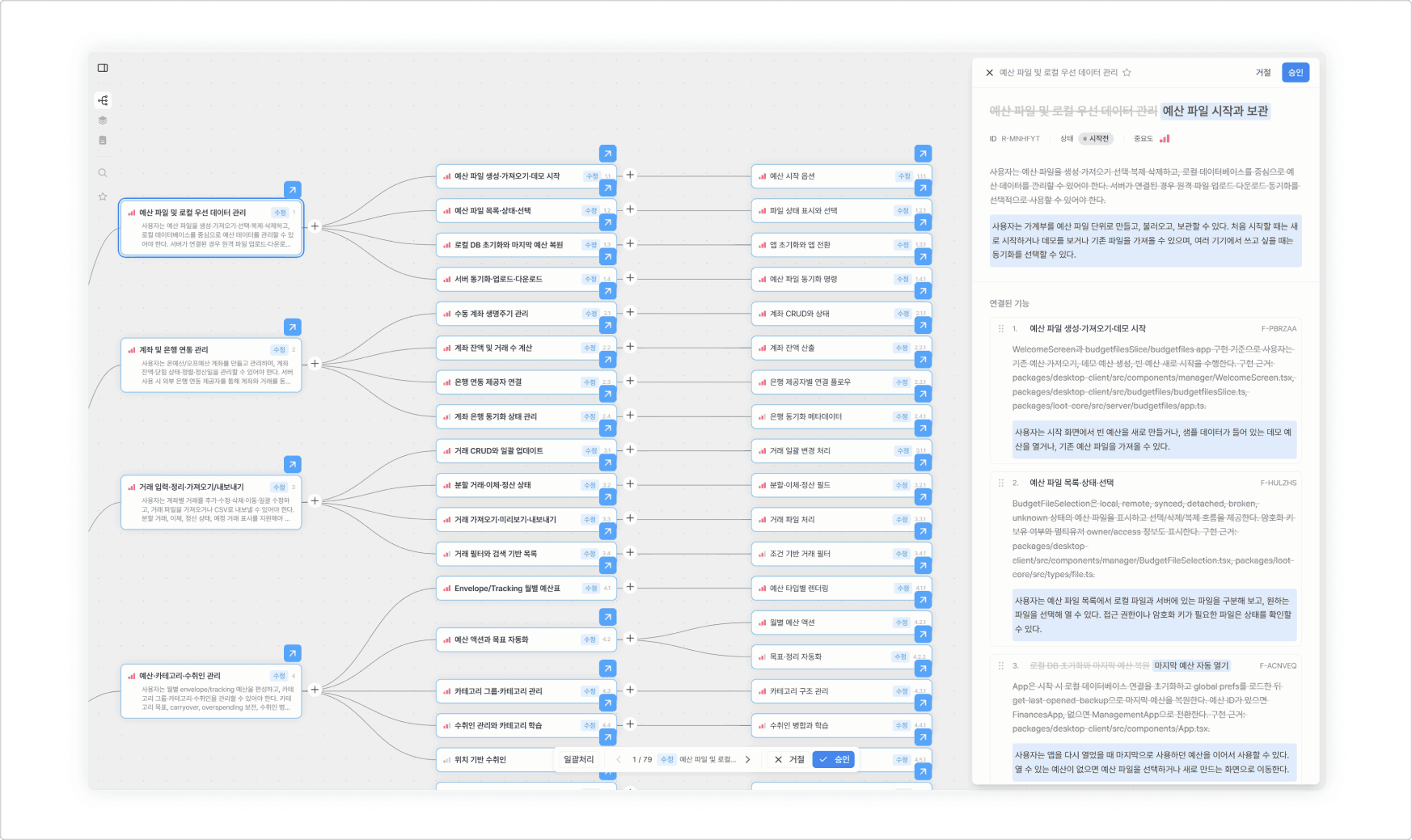
〔Feature spec comparison: code-term tone → product-spec tone〕
Bonus — Wireframes, and All the Way to Figma
Once the planning documents are in place, Manyfast goes one step further and draws wireframes (screen blueprints) for you.
Based on the screens organized in the PRD and feature spec, it lays out roughly what each screen would look like. Just like the user flow, this is generated inside Manyfast — not by the code or by Codex.
We picked the budget screen — the heart of this case — and placed it side by side with the real service.
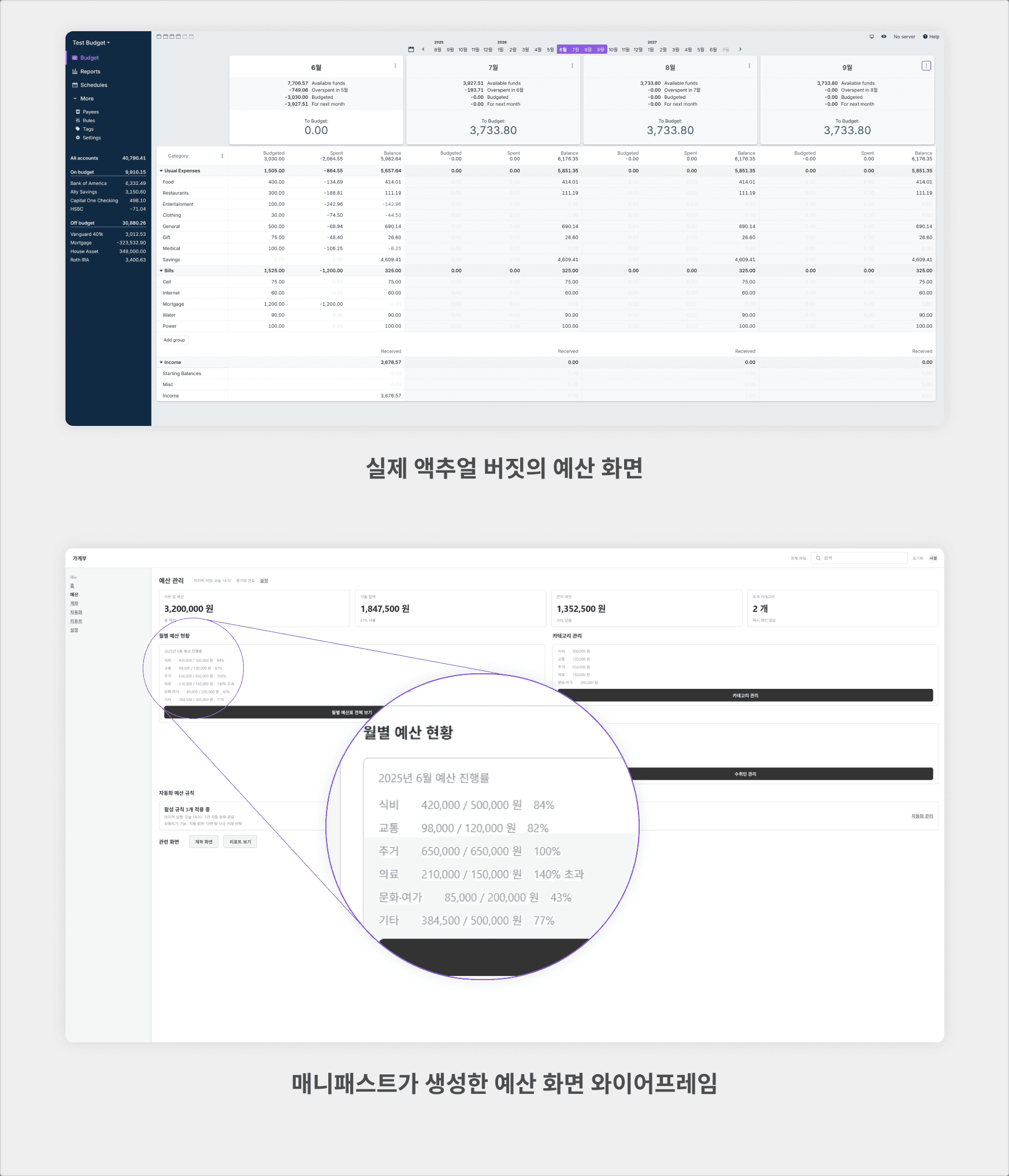
Of course, it's not identical. 😅 Manyfast doesn't copy screens — it reads the features and redraws them as a clean screen concept.
Still, you can see the core features we introduced earlier sitting right there on the blueprint: the monthly budget summary, per-category progress (groceries at 84%, medical overshooting at 140%!), automatic payee categorization, and the automation rules status. A service that was once a single lump of code has come all the way back to a screen you can actually see.
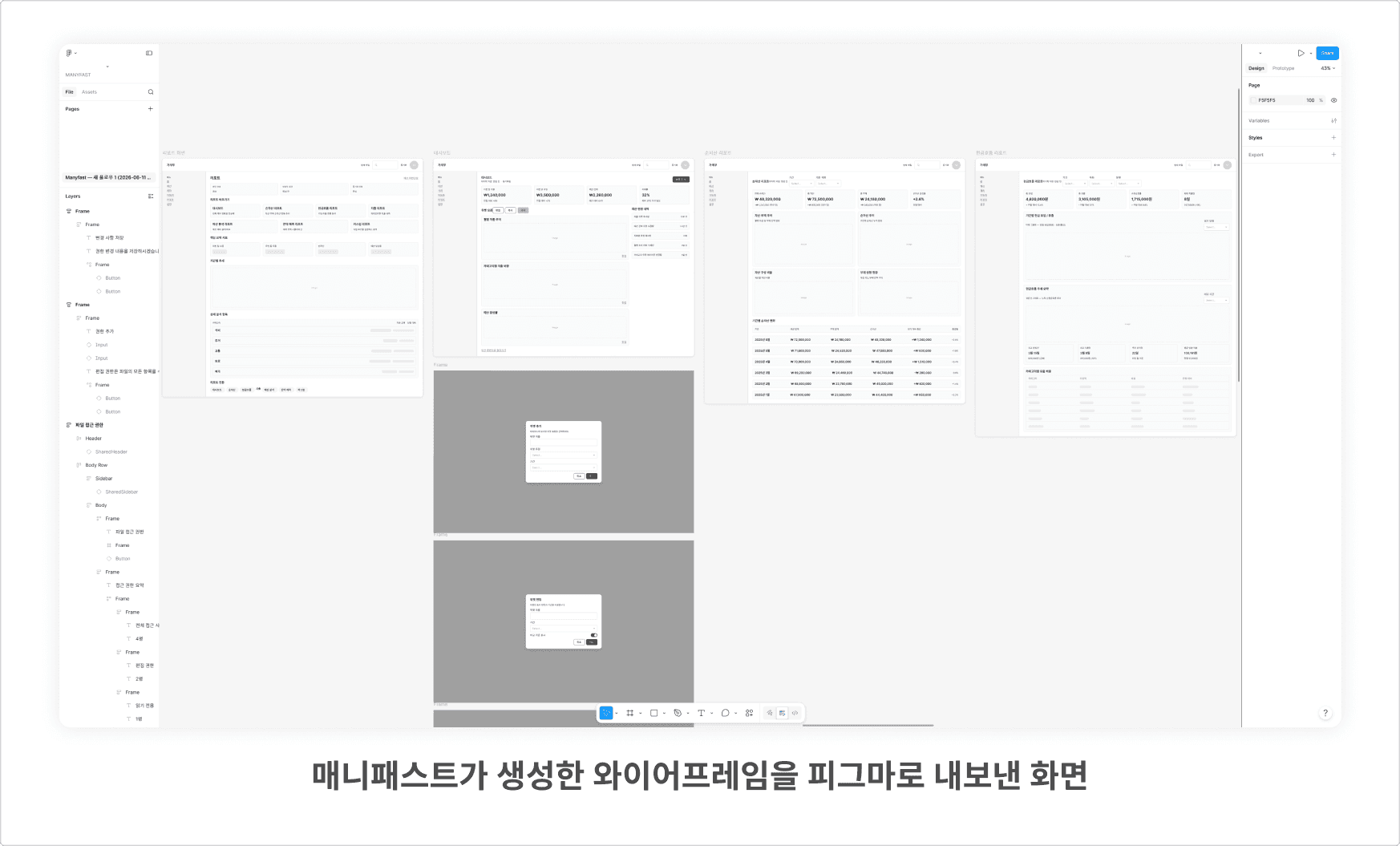
PRD → feature spec → user flow → wireframe → Figma. One already-built service has been fully revived as a complete set of documents spanning from planning all the way to the doorstep of design!
Wrapping Up
The answer to our opening question — "Can an already-built service be turned back into a product spec?" — was "Yes." So let's go one step further and ask what we really want to know. Where can you actually put this reverse planning to use?
Remember the situations we opened with — the service whose documents vanished, the outsourced service nobody fully understands, the service facing a daunting renewal, the well-made service you want to learn from? In every one of those cases, as long as you have the code, Manyfast can bring it back as a full set of planning documents: PRD, feature spec, user flow, and wireframes.
In the end, the common thread is this.
Even when you have code but no planning, Manyfast can turn it back into well-organized planning documents!
That means Manyfast isn't just for planning new services — you can also use it to re-organize services that are already out in the world.
If a service just came to mind, it might be your very first candidate for reverse planning. 🐢
Back to list
