Manyfast 200%
Too Many Documents, No Clear PRD? Organize Them with Manyfast
Learn how to upload meeting notes, feature lists, interview notes, and screen drafts into Manyfast, then turn them into a shared PRD your team can align on.
Hello, this is Team Manyfast! 👋
When planning a product, there’s a moment that almost always comes up.
You have meeting notes, but no planning document.
You have a feature list, but no clear flow.
You have UI ideas, but not enough context to explain them to developers. 🥲
The meeting notes are in Notion, the feature list is in Excel, and the screen ideas are in a PPT.
But more often than not, there is no single planning document that the whole team can look at together.
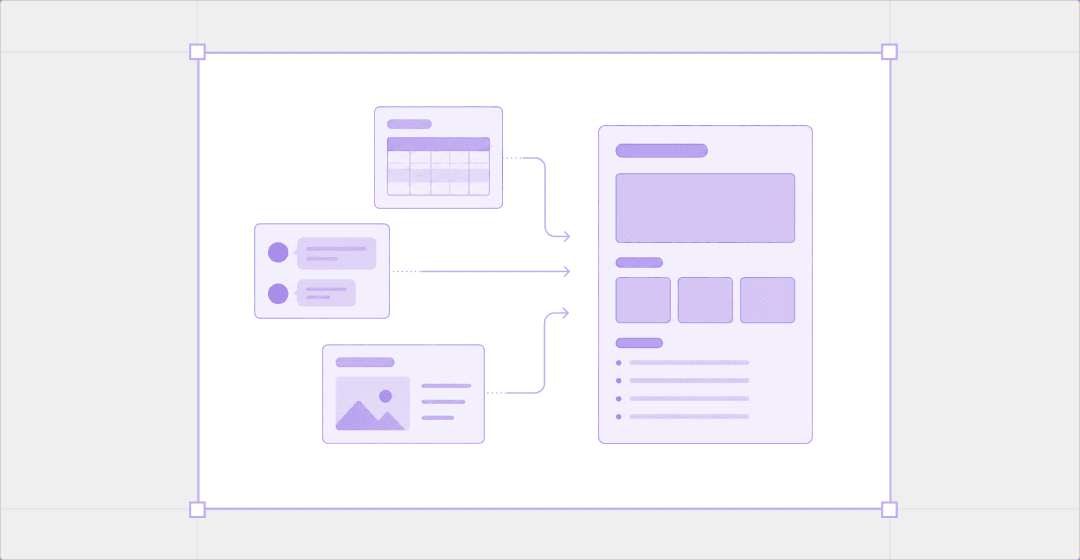
In this situation, what you need is not simply copying and pasting everything into one place.
You need to reorganize the scattered materials into the product’s purpose, user problems, key features, screen flow, and unresolved decisions.
So in this playbook, we’ll show you how to upload scattered planning materials to Manyfast all at once and organize them into a PRD your team can share.
We’ll walk through how meeting notes, feature lists, customer interview notes, and screen drafts are reorganized, what missing details can be identified, and how the completed PRD differs from the original documents.
Example Materials Used in This Playbook
For this example, we’ll use a fictional home workout routine recommendation app.
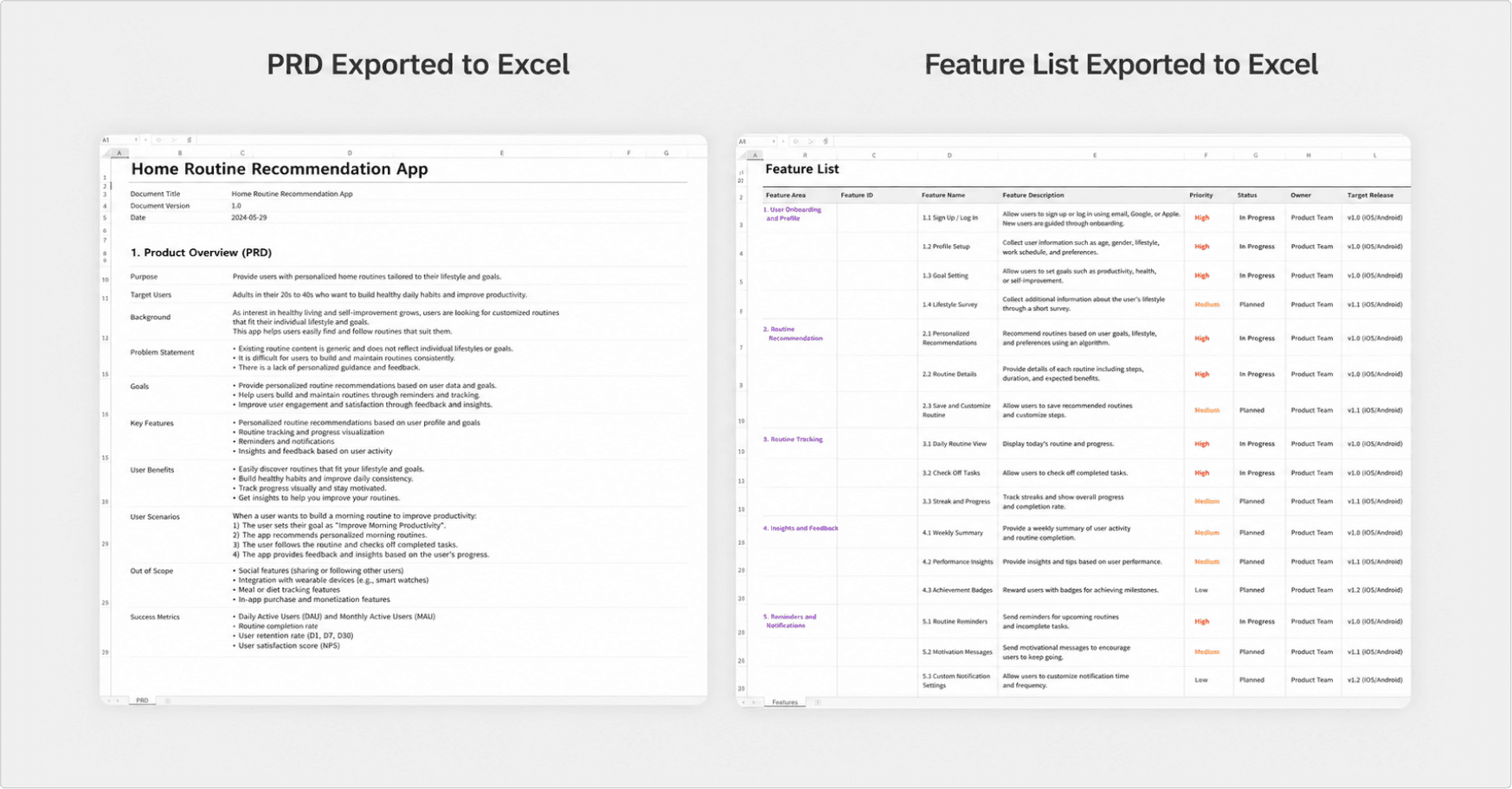
The team working on this project already has several materials.
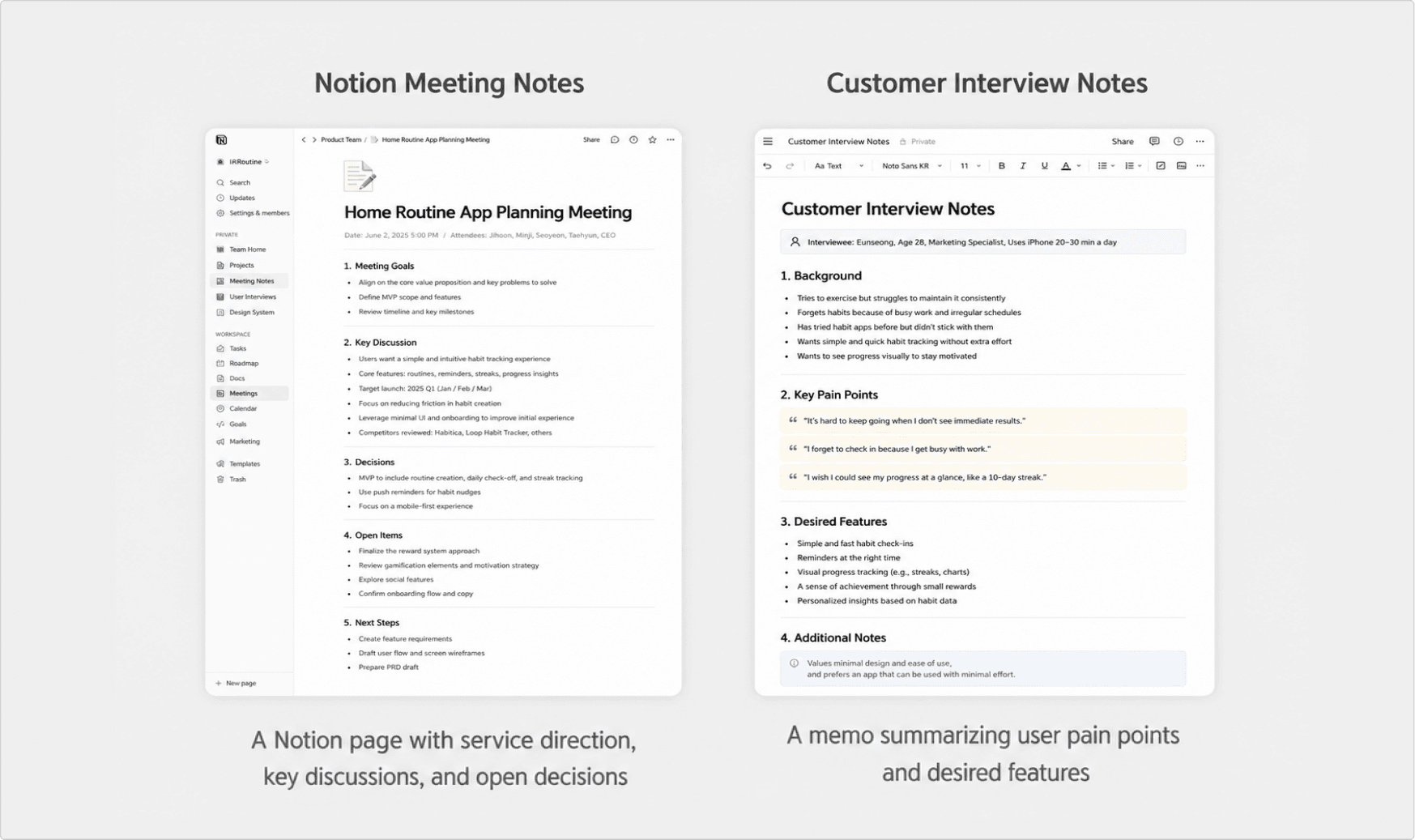
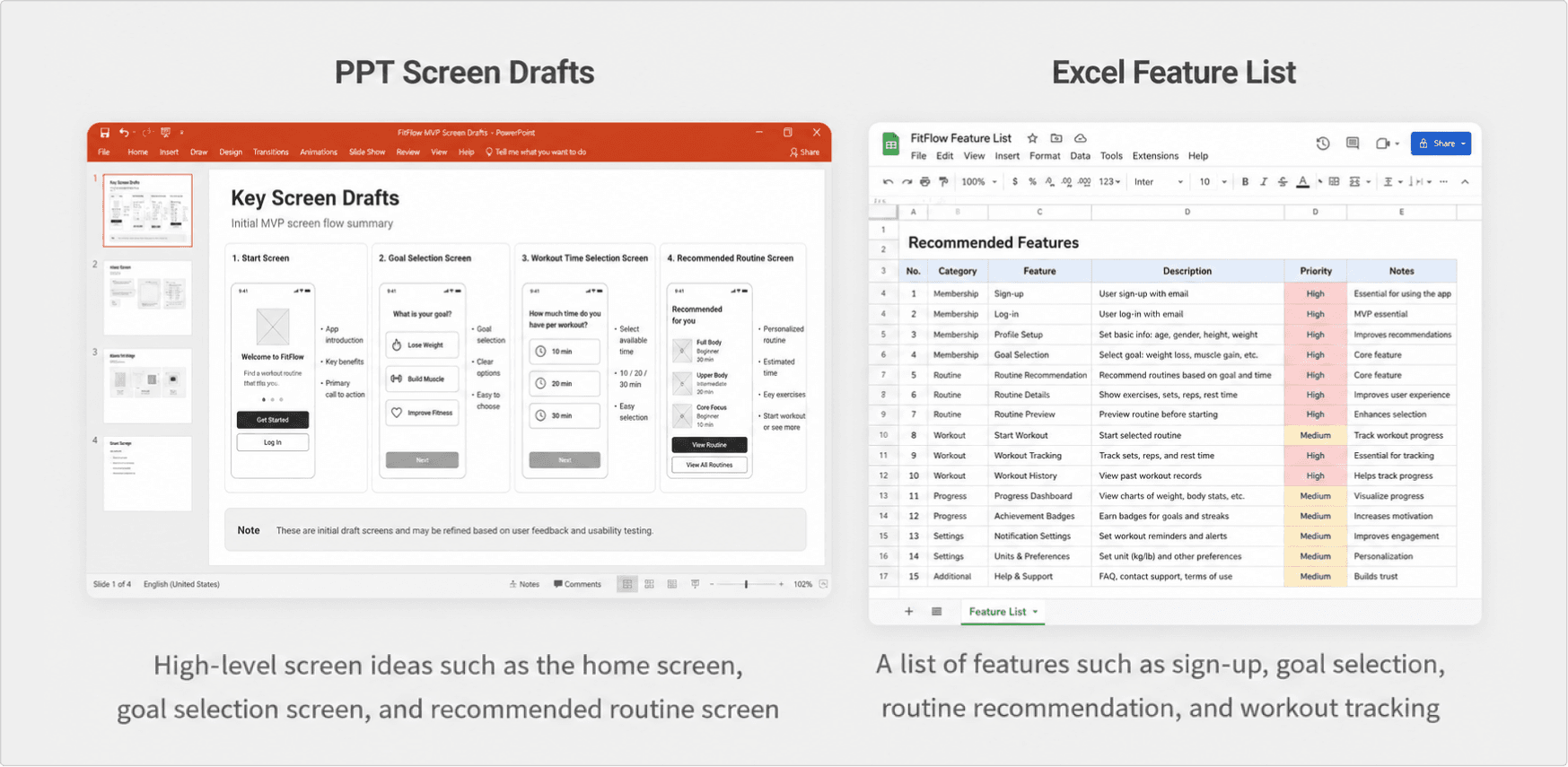
These materials are not yet connected into a single planning document, which makes collaboration difficult.
Most importantly, each team member may understand the project based on different criteria, and everyone ends up spending too much time interpreting the materials on their own. 🥲
Why It’s Hard to Write a PRD with Scattered Materials
Each piece of documentation is useful in its own way.
Meeting notes contain the service direction.
The feature list contains the required features.
Customer interviews contain the actual voice of the users.
But when these materials are scattered, it becomes difficult to answer the most important questions.
“Why are we building this product?”
“What problem is this feature trying to solve?”
“What is the one thing we must include in this version?”
The most important part of a PRD is not simply listing features.
It is creating a shared understanding of why the product is being built and what problem it is trying to solve.
But when the materials are scattered, this context is not organized in one place.
Meeting notes include the direction, but lack detailed feature conditions.
Excel sheets include a feature list, but do not explain why each feature is needed.
Customer interviews include user pain points, but do not clearly show how they should be reflected in the product.
PPT slides include screen ideas, but do not explain what problem each screen is meant to solve.
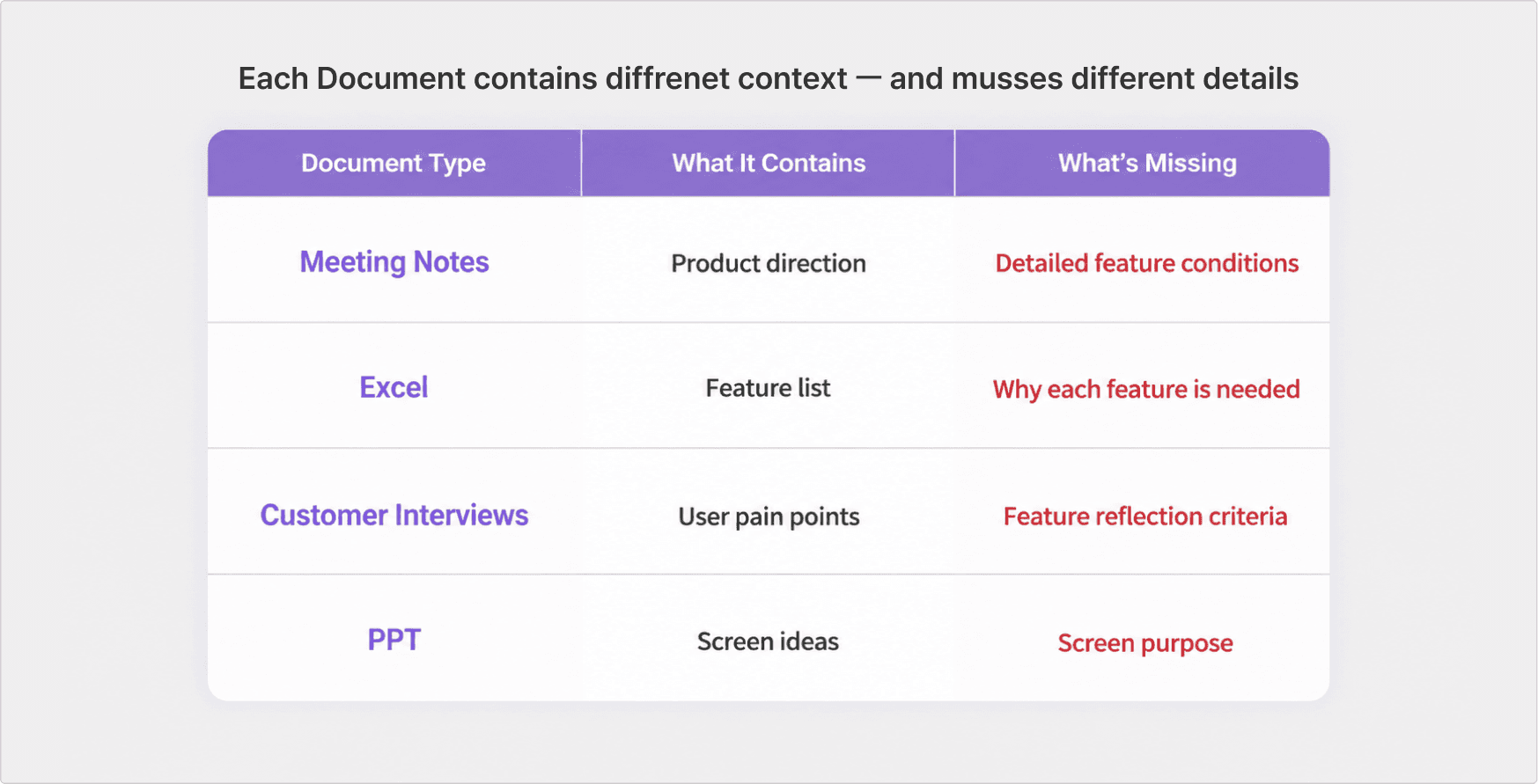
As a result, even when looking at the same materials, team members may understand them differently, which leads to repeated and unnecessary communication. 😢
“What exact problem is this feature trying to solve?”
“At which step is this screen needed?”
“Is this included in the MVP, or is it for later?”
“What has not been decided yet?”
This is exactly when you need a PRD.
A well-written PRD organizes the direction, user problems, features, and screen ideas into one shared context, so the whole team can understand the product based on the same criteria.
Reading multiple documents at once and organizing the product’s purpose, problem statement, key features, and unresolved decisions into a PRD structure is not easy.
But!
Manyfast helps with this process, so your team can spend less time reinterpreting materials and more time discussing what needs to be decided.
Step 1. Upload Materials to Manyfast
Now, let’s upload these materials to Manyfast.
Since Manny currently works better with PDF than PPT files, we’ll convert the PPT into a PDF before uploading it.
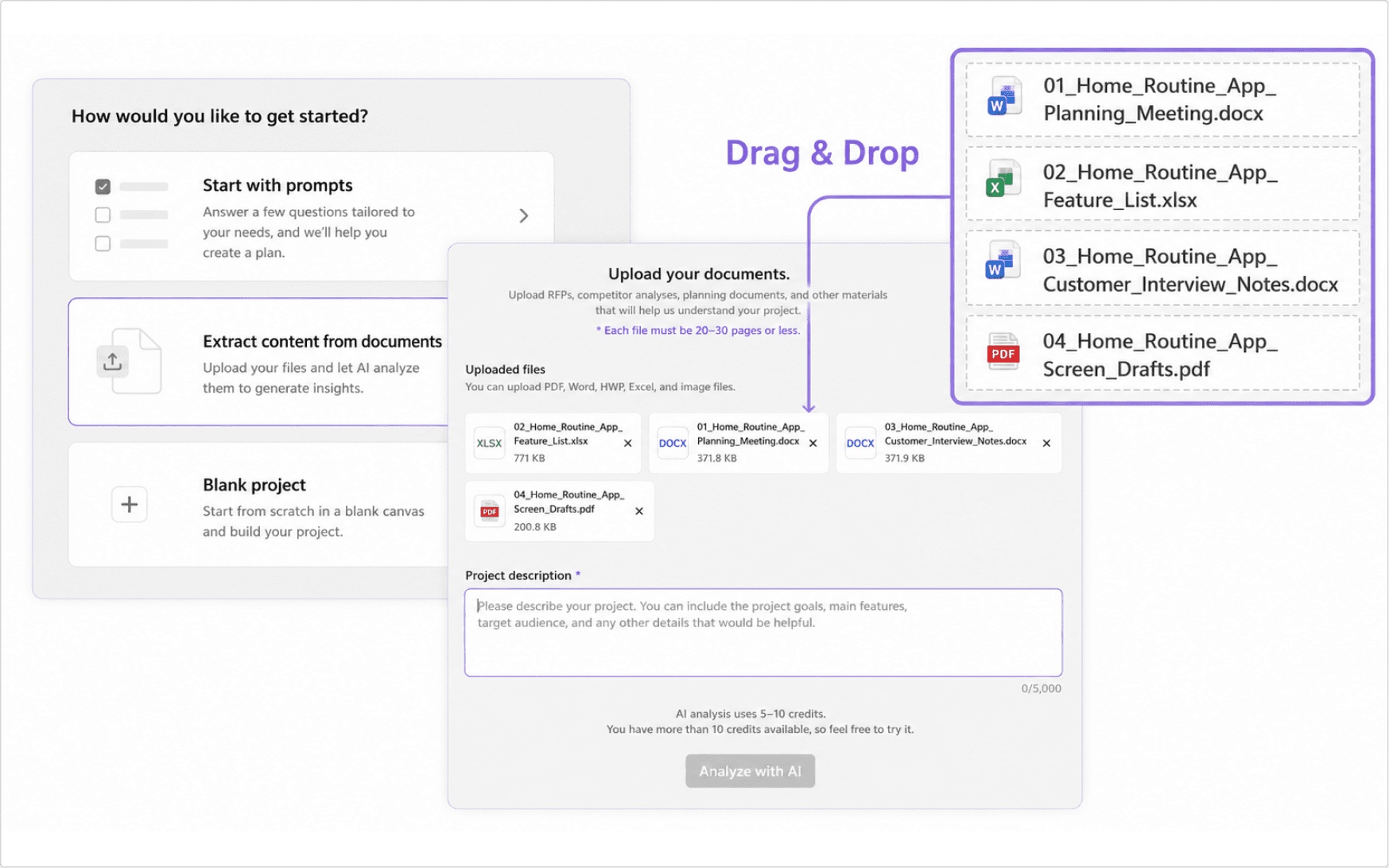
Here’s a tip! Add a clear project description.
Briefly explaining what kind of service the project is helps Manny understand the project better.
This allows Manny to suggest missing items or improvements more effectively. 🐢
❌ Too vague: Home workout routine recommendation app
✅ Better input: This project is a home workout routine recommendation app for beginners who want to start exercising but do not know where to begin. Users can select their exercise goal and available time for the day, receive a matching home workout routine, and save their workout record after completing it.
Now that the files have been uploaded and the project description has been added, let’s click “Analyze with AI Manny.”
The analysis takes about 5 to 10 minutes, so let’s take a quick break and come back! ☕
💡The first analysis uses 20 to 30 credits, but it consumes far fewer tokens than writing a PRD from scratch through chat.
If you already have existing materials, we recommend using the “Extract content from documents” feature.
Step 2. Review and Approve Information
Now that we’re back, a lot of information has been organized in the Tree View.
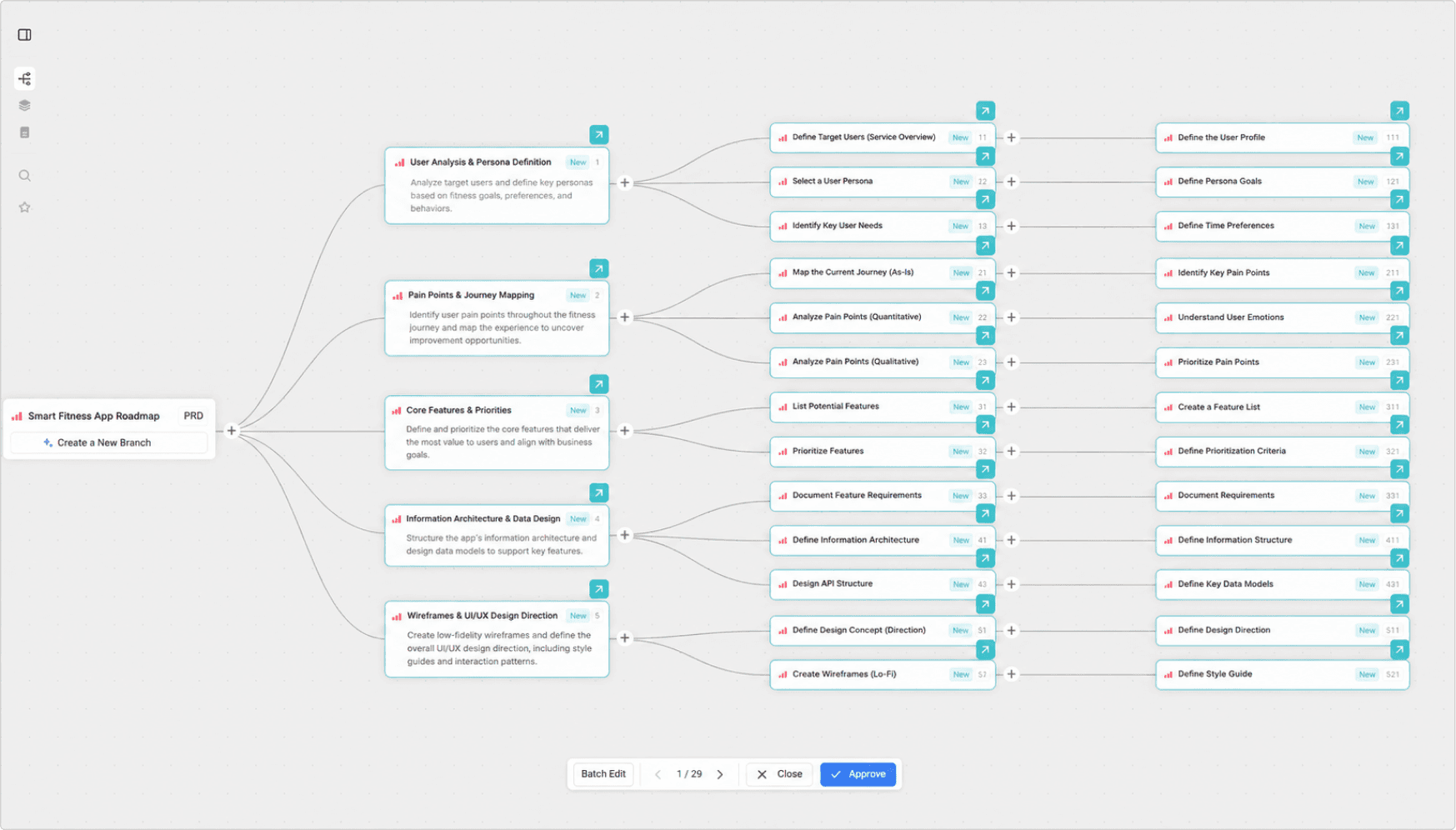
You can see that many requirements and features have been extracted and structured.
From here, review each item one by one and click “Approve” on the floating bar at the bottom to confirm the information.
Now that the basic structure has been created from the materials, shall we improve the project further with AI Agent Manny?
Step 3. Improve the PRD with Manny
Of course, it would be great if every detail of the project were already complete.
But in reality, that is exactly why planning is difficult. 😢
That’s why it’s time to refine the PRD.
First, let’s look at some examples of decisions that need to be made before development.
Can users receive routine recommendations without signing in?
Should workout records be saved only for signed-in users?
If a user leaves the app in the middle of a workout, should the progress be saved?
Should recommendations be based only on goals and workout time, or should they also consider experience level?
Should an admin feature for adding or editing routine data be included in the MVP?
What is the difference between the free and paid plans, and how will monetization work?
Should the paid plan be shown on the recommendation screen or when users select an advanced routine?
These questions may seem small, but during development, they can become important decisions that affect the schedule, scope, and even the success of the project.
For example, the single question
“Can users receive routine recommendations without signing in?” can affect the login policy, data storage method, and access scope of My Page.
If someone asks these questions early, the PRD becomes much stronger.
So now, let’s ask Manny.
“I want to fill in the missing parts of the current PRD and feature specification. Please ask me questions about anything we may have missed or have not considered yet.”
With this one prompt, Manny asked four questions.
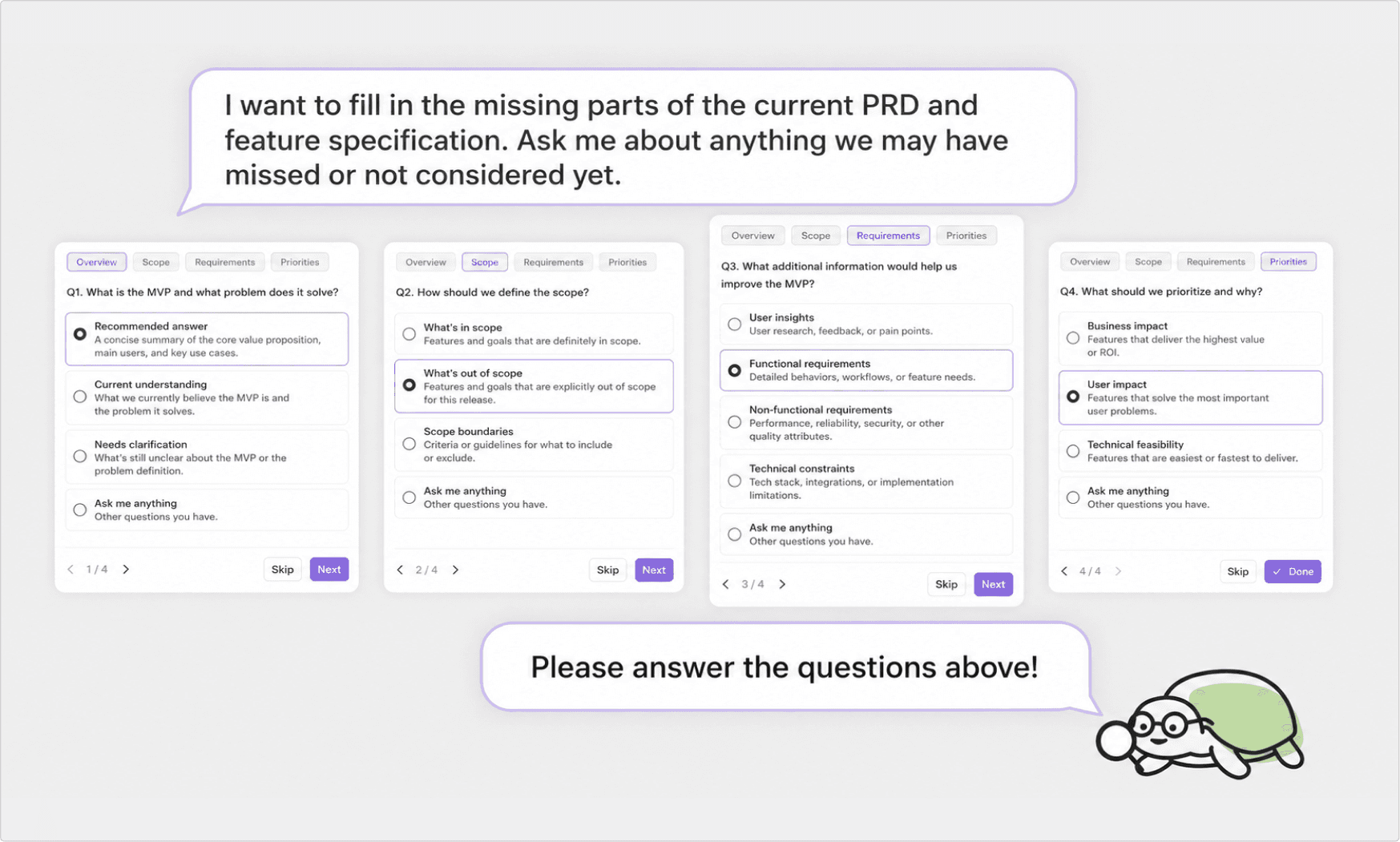
Answer the questions and proceed by clicking “Next.”
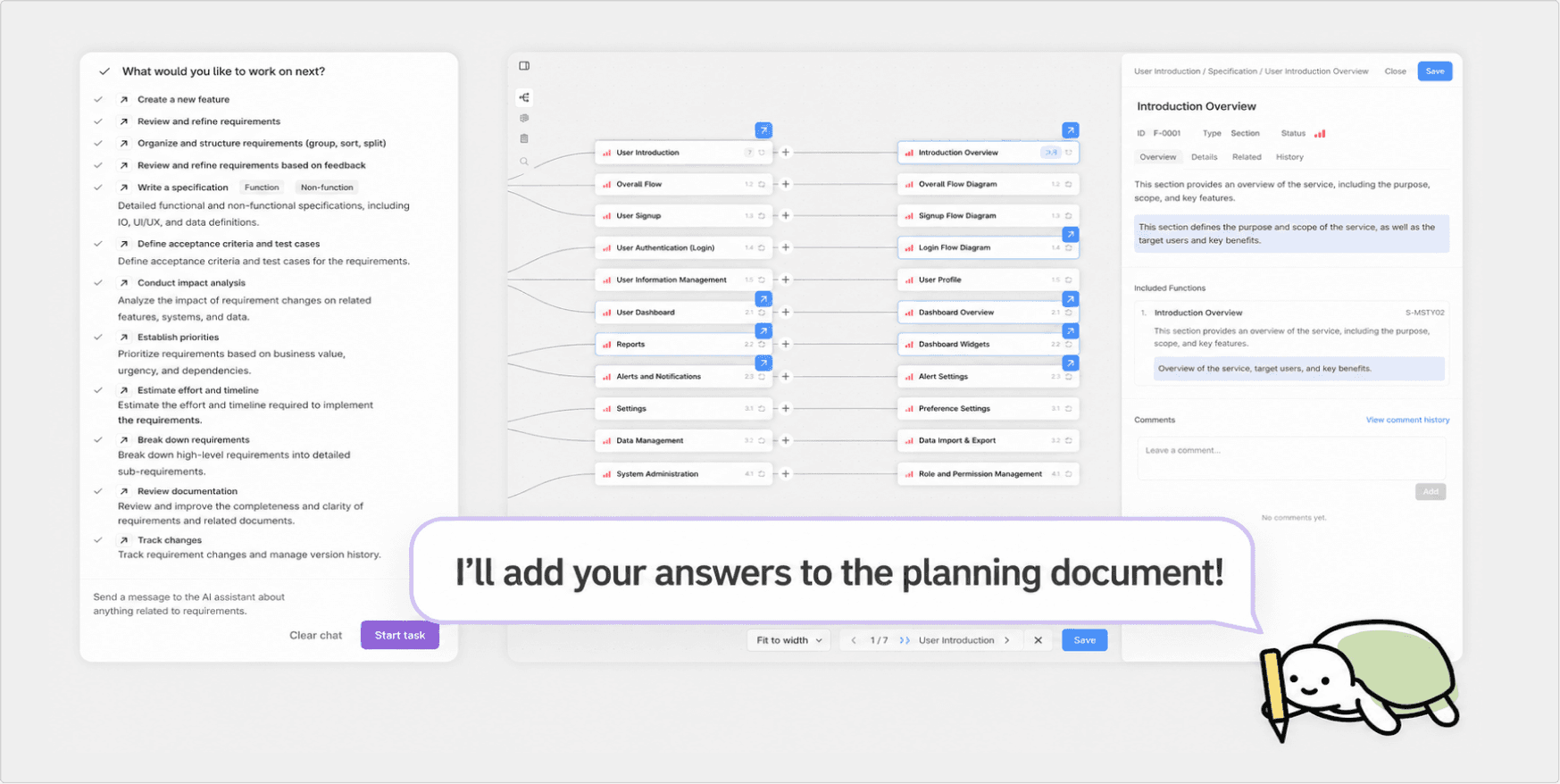
Once the answers are completed, Manny organizes the details to be added to the planning document and updates both the PRD and the feature specification.
We’ll only show this much in today’s playbook, but Manny can continue asking follow-up questions.
As the user answers those questions, Manny refines the planning document accordingly.
In other words, Manyfast does not stop at creating a draft PRD.
It helps identify the planning gaps that the team needs to decide on first.
This is how you can create and improve planning documents through the
“Vibe Planning” approach.
From there, you can continue the flow into user flows and wireframes inside Manyfast. 😎
How Did the Completed PRD Change?
Now that the scattered materials have been uploaded and the missing details have been filled in with Manny, it’s time to check the final result!
At first, the meeting notes, feature list, customer interview notes, and screen drafts existed separately.
But through Manyfast, these materials were reorganized into one PRD structure.
This is not just a summary of the materials.
It becomes a shared source of truth that the team can review and discuss together.
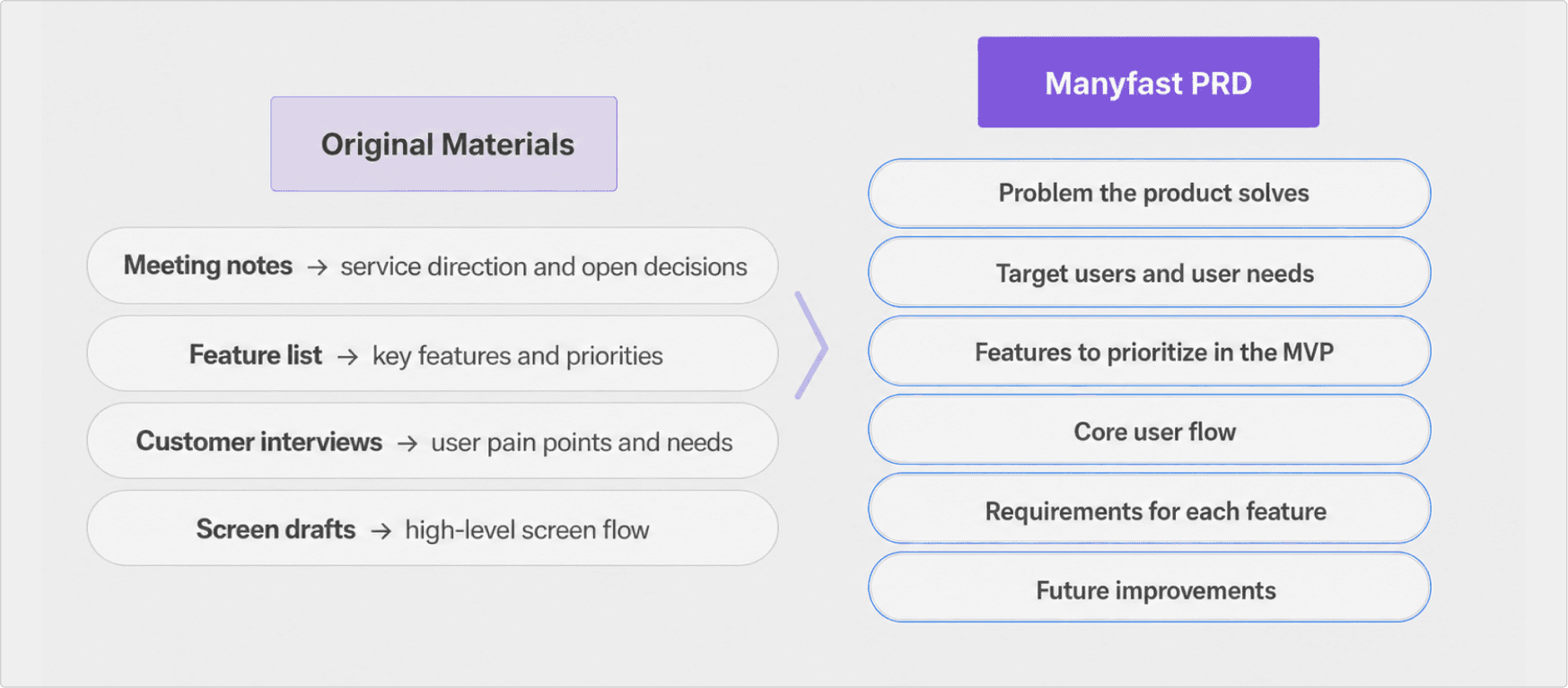
In other words, the project moves from “we have a lot of materials” to “the team can understand the product based on the same criteria.”
So, What Got Better?
Once everything is organized into a single PRD, each role can find the information they need in one document.
Role | With scattered materials only | After organizing into a PRD |
|---|---|---|
Product Manager | Needs to explain the overall direction while checking meeting notes, feature lists, and interview notes separately | Can explain the product purpose, user problems, MVP scope, and pending decisions in one document |
Designer | Has screen ideas, but it is hard to understand the purpose of each screen and the user flow | Can design wireframes based on the purpose of each screen and the user flow |
Developer | Can see feature names, but lacks conditions, edge cases, and policies | Can check feature requirements, MVP scope, and policies that require further decisions |
Founder / Team Lead | Has many materials, but cannot quickly see what is confirmed and what is still undecided | Can quickly review the product direction, priorities, and decisions that need to be made |
This also changes how meetings are run.
Instead of meetings where everyone re-explains the documents, the discussion can focus on what needs to be decided.
What Comes After the PRD?
The process does not end with the PRD.
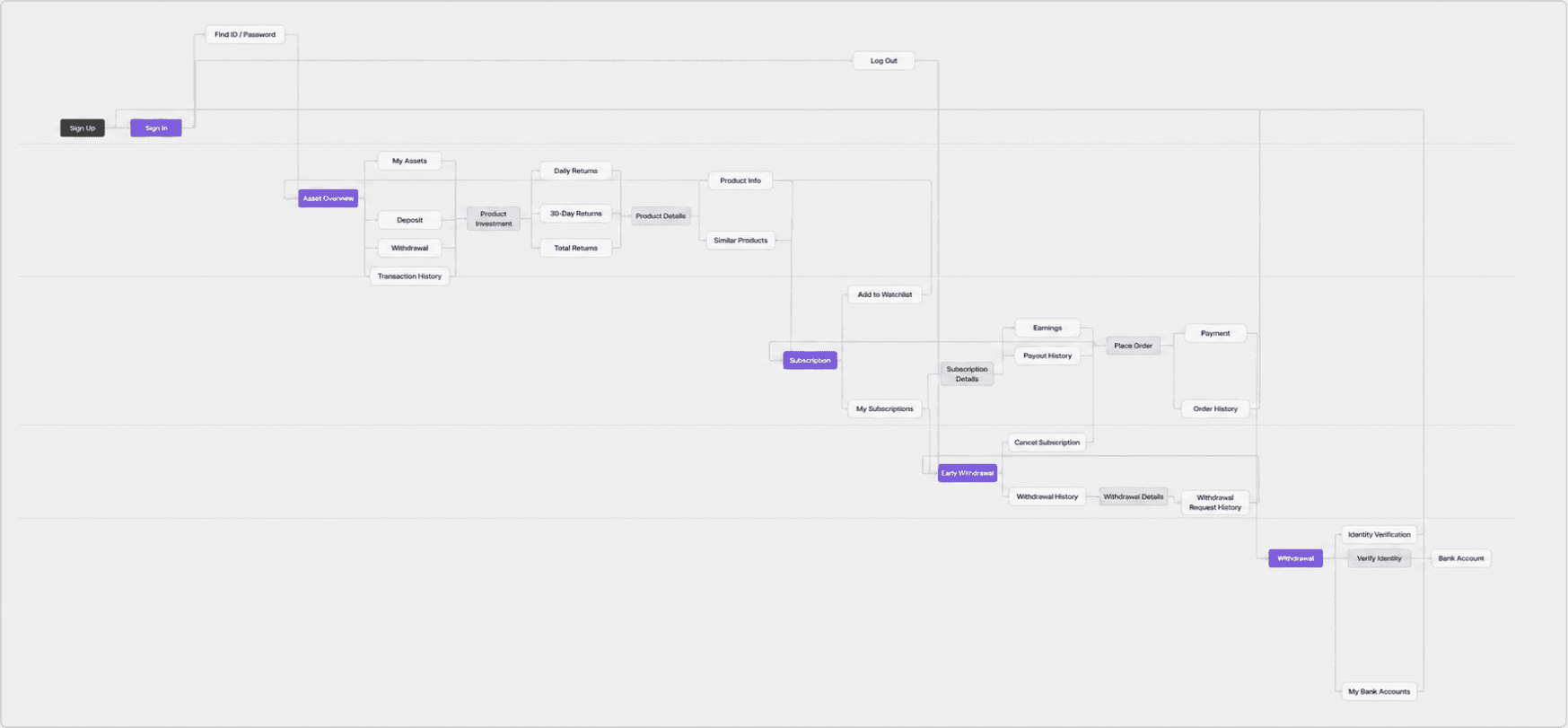
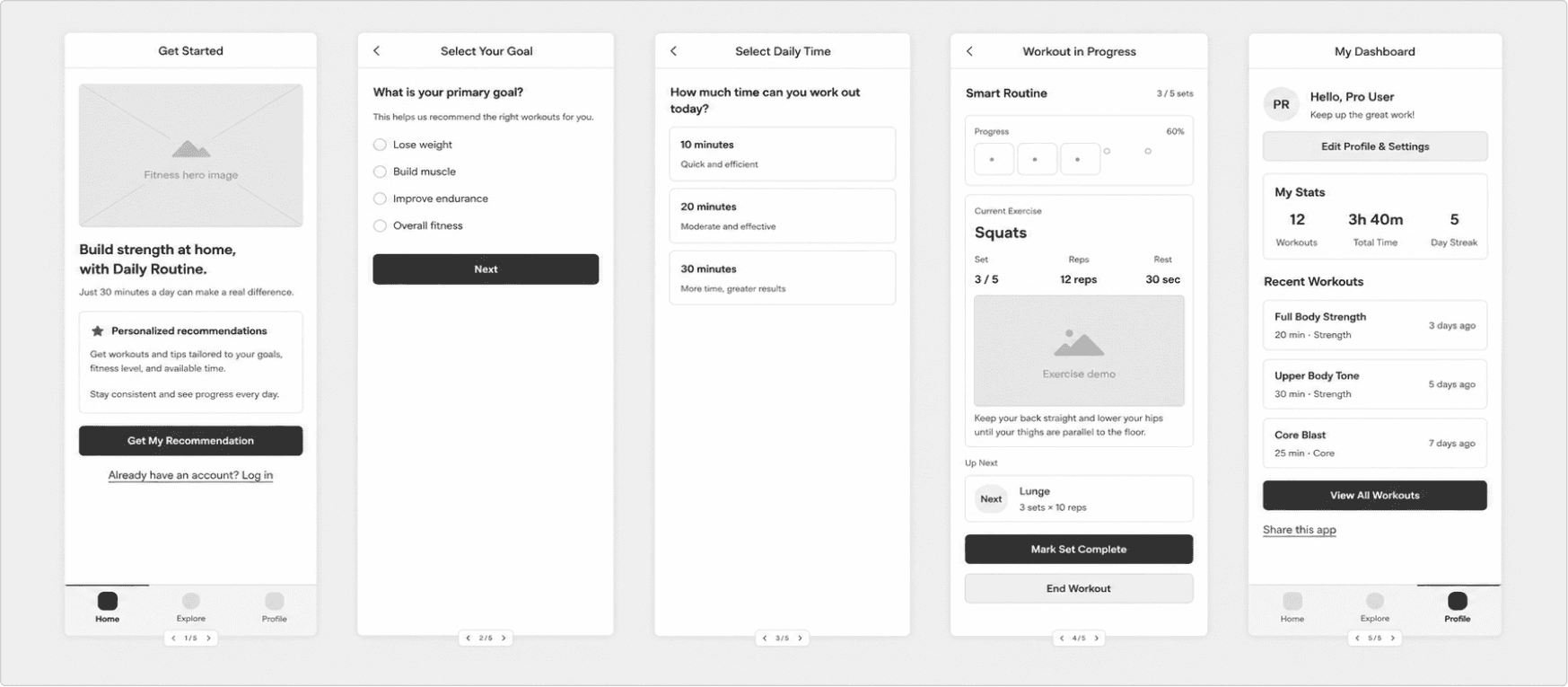
From functional specifications for development to user flows and basic wireframes, Manyfast allows you to keep creating all of these in a seamless flow. 😎
Simply put,
PRD - Define the product purpose and scope
Feature Specification - Detail the conditions and policies for each feature
User Flow - Check how users move through the product
Wireframe - Design the screen structure
In other words, uploading scattered materials is not just about creating a single PRD.
It is the first step in setting a planning baseline and continuing that baseline into the next deliverables.
Wrapping Up
Having multiple documents is different from having one planning document that the whole team can look at together.
Meeting notes, feature lists, customer interview notes, and screen drafts are all important materials.
But when they exist separately, it is difficult to understand the full product context at a glance.
Manyfast reads these scattered materials at once and organizes them into the structure needed for a PRD.
Then, by talking with Manny and checking for missing details, you can turn a simple draft into a planning document that the team can actually use for discussion.
If your materials are scattered like in this playbook, try uploading them to Manyfast first and creating a draft PRD.
Instead of product managers, designers, and developers looking at different documents, the whole team can align around one shared source of truth.
And that can make your project much easier to move forward. 🐢
Back to list
