Manyfast 200%
How to Cross-Check Feature Specifications and User Flows
Don’t stop after completing the feature specification. When you cross-check it with user flows, planning gaps that were invisible in the feature list start to appear. In this guide, we’ll show you how to connect these two deliverables by talking with Manny.
In this guide, we’ll use a pet healthcare app as an example.
Planning deliverables created in Manyfast are connected to one another.
Requirements come from the PRD.
The feature specification is structured based on those requirements.
User flows are then created based on the feature specification.
Each deliverable is not a separate document.
Instead, they build on top of one shared context.
What we’ll show in this guide is how to actually use that connection.
After completing the feature specification, we’ll cross-check it with user flows to find and fill planning gaps.
By moving back and forth between these two deliverables, you can uncover details that are hard to see when looking at the feature list alone.
Step 1. Create a PRD and Generate the Feature Specification
When you first open Manyfast, you start by entering your idea.
For example, you can enter:
“I want to create an app that helps pet owners systematically manage their pets’ health records and never miss veterinary appointments.”
Based on this input, AI Agent Manny will ask the questions needed for planning.
Who are the main target users?
What are the biggest difficulties pet owners face?
What are the core features?
After answering all six questions, a draft PRD is created on the right side of the screen.
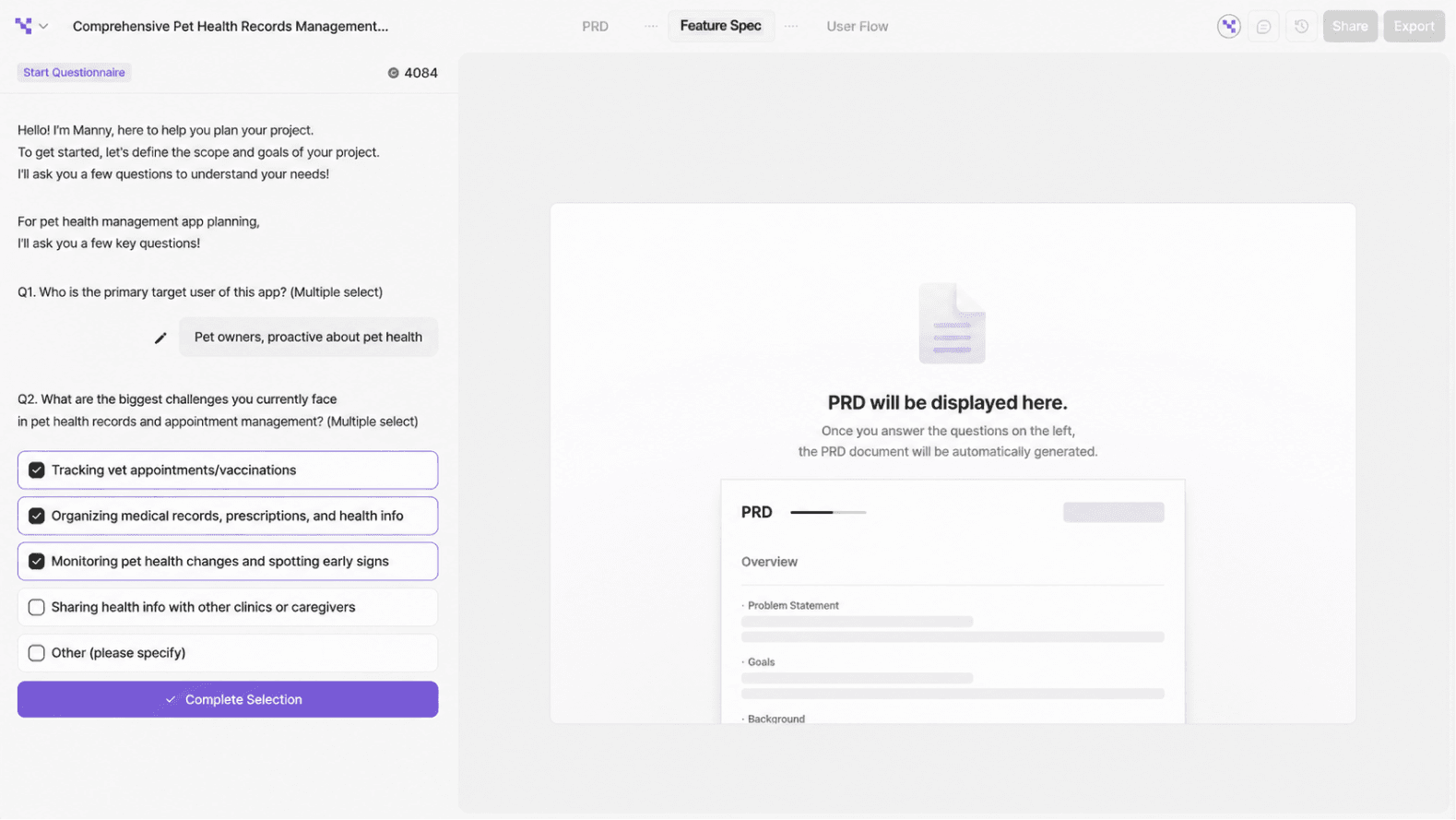
<Manyfast Screenshot: Manny onboarding questions + PRD generation screen>
Once the PRD is complete, a feature specification is generated based on it.
The feature specification organizes the features required for the service in a hierarchy:
Requirement → Feature → Detailed Feature
It is structured so that product managers and developers can understand and discuss features using the same standard.
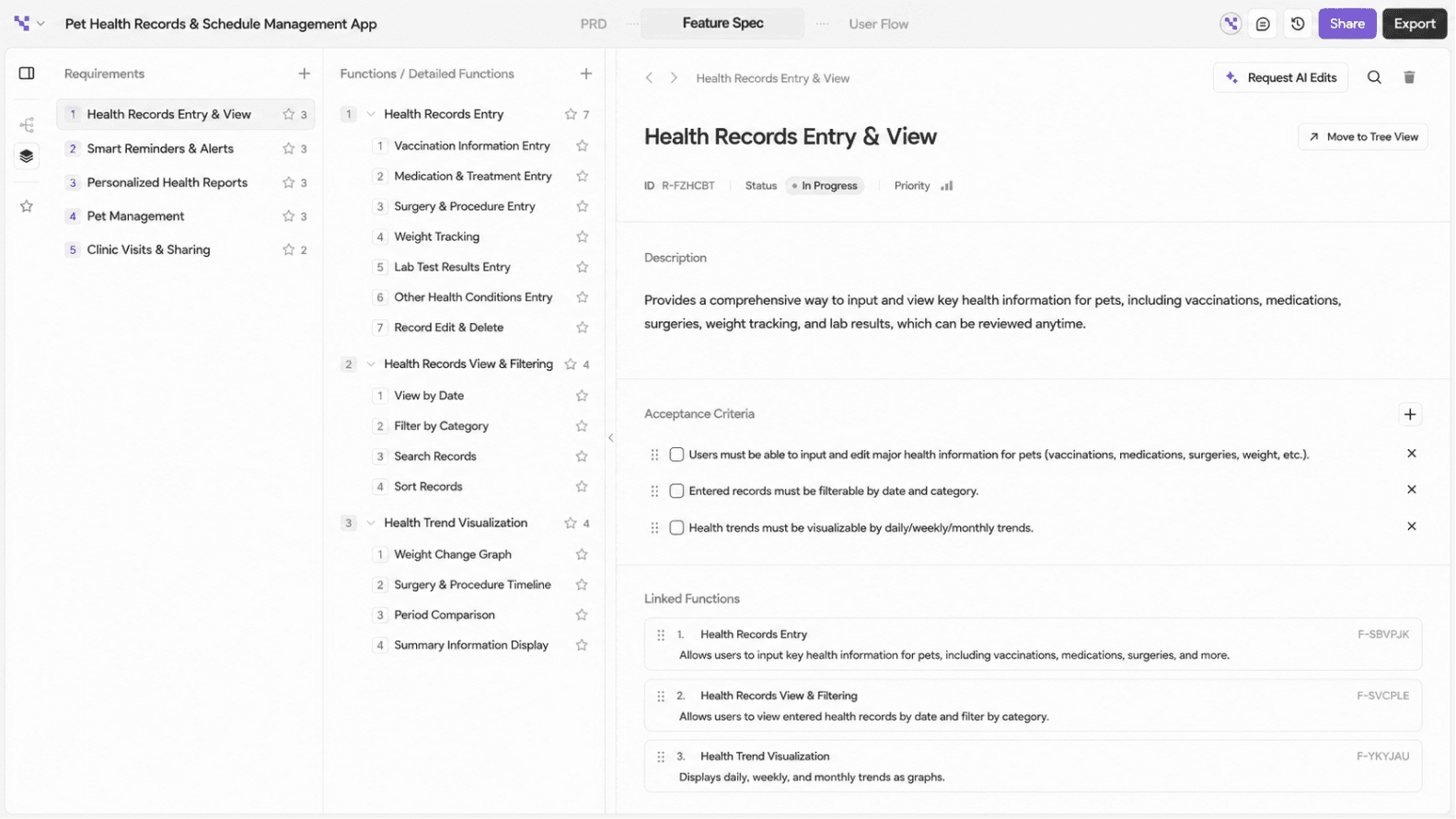
<Manyfast Screenshot: Directory view of the feature specification — reviewing detailed feature descriptions>
Now the feature list is complete. But this naturally raises another question.
“In what order will actual users encounter these features?”
The feature specification defines what needs to be built.
But it does not fully show the path users take through the product.
Step 2. Create User Flows by User Type
I opened the Manny chat window and asked right away:
“What user types do you think would use this service?
How would each of them use it?”
Manny read through the entire feature specification and suggested four user types.
First-Time Pet Owner : Create profile → Select health/vaccination items → Set check-up reminders
Proactive Health Manager : Add daily logs → Check trends → Detect warning signs
Vet Collaboration User : Save post-visit records → Export PDF → Share records
Multi-Pet Household : Switch pet profile → Manage schedules and records for the selected pet
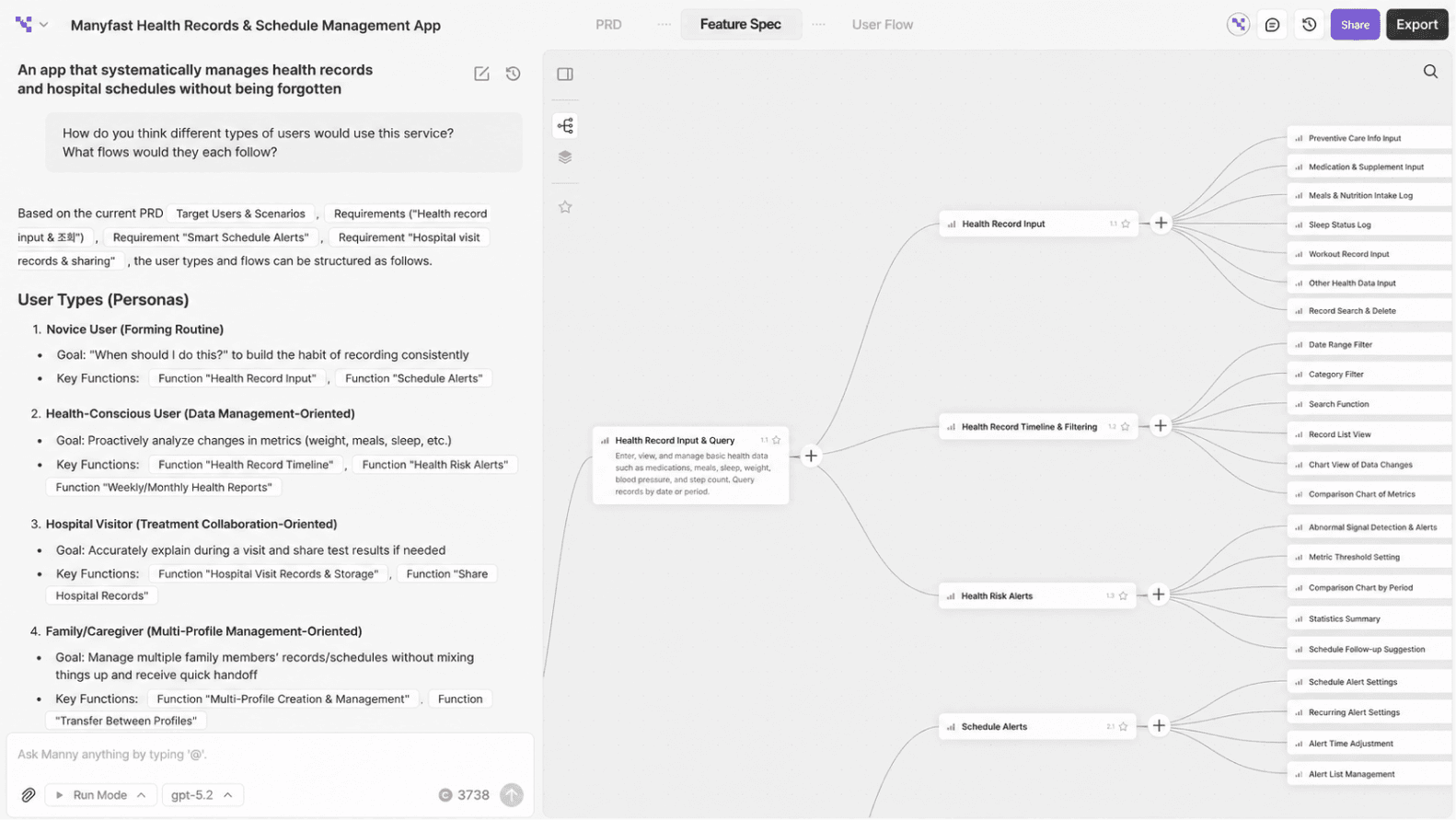
<Manyfast Screenshot: Manny Chat — screen suggesting four user types>
If you generate all four user flows at once, each flow may not be considered in enough detail. It is better to request them one by one.
“Generate them one by one. Let’s start with the first-time pet owner flow.”
When requested in order, Manny can define the scenario and screen flow for each user type more carefully.
The four user flows are then created one by one in the User Flow tab in Manyfast.
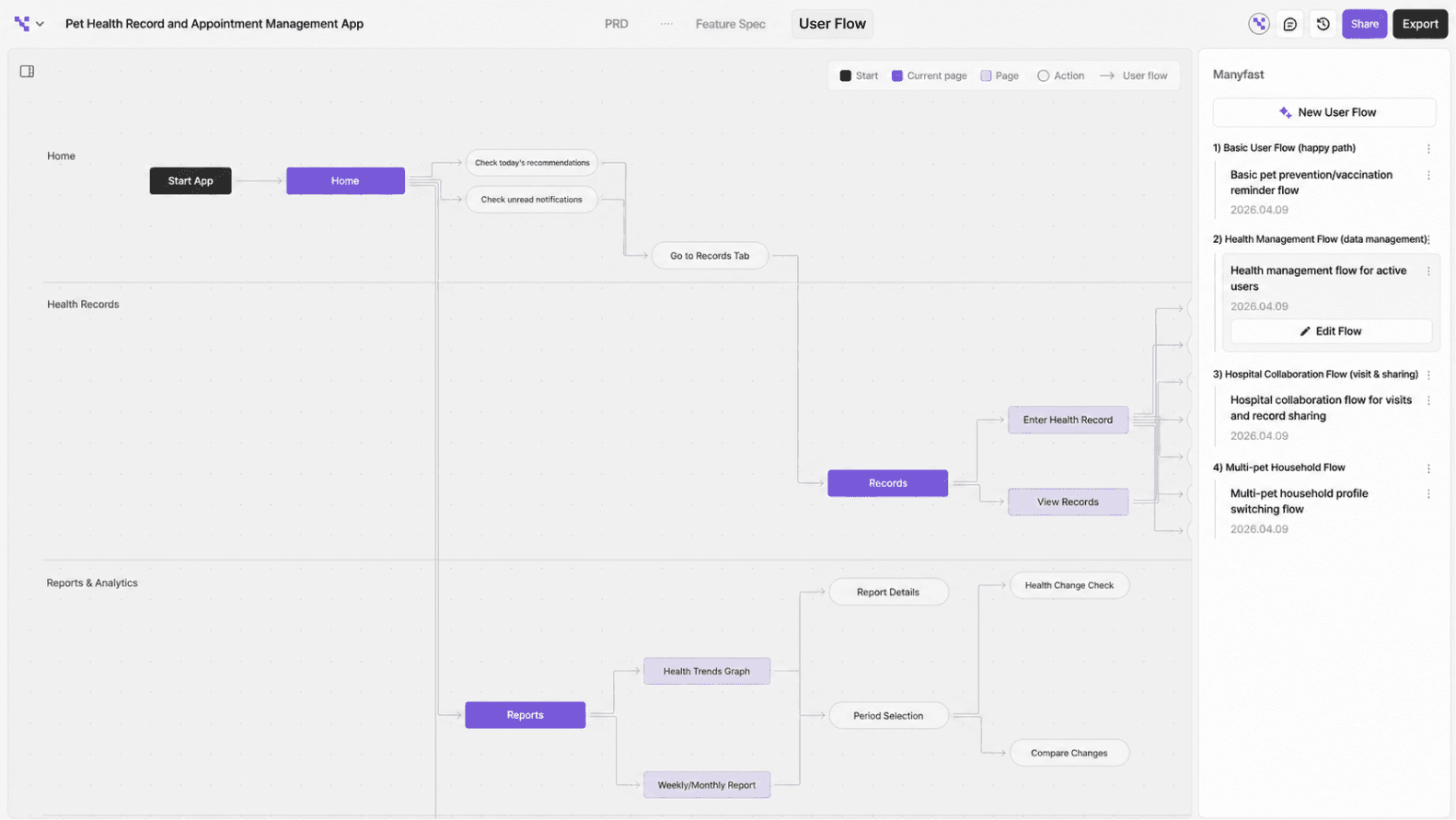
<Manyfast Screenshot: List of four user flows + actual flow diagram screen>
Step 3. Ask Manny to Cross-Check Them
Once the four user flows are complete, ask Manny directly:
“Compare the four user flows we created with the feature specification and let me know if anything is missing.”
Manny reads both the user flows and the feature specification, then summarizes the comparison results.
For example:
In the first-time pet owner flow, the user moves directly to the home screen after signing up, but no pet profile has been created yet.
An onboarding screen appears in the user flow, but the corresponding feature is missing from the feature specification.
In the vet collaboration flow, there are actions for editing and deleting medical records.
However, detailed edit/delete features are missing under “Enter and Save Veterinary Visit Records” in the feature specification.
These are the kinds of issues that are hard to notice when looking only at the feature specification.
When you compare it with user flows, gaps start to appear.
A feature exists, but the sequence is missing.
A feature exists, but the exception case is not handled.
These planning gaps can be caught at this stage.
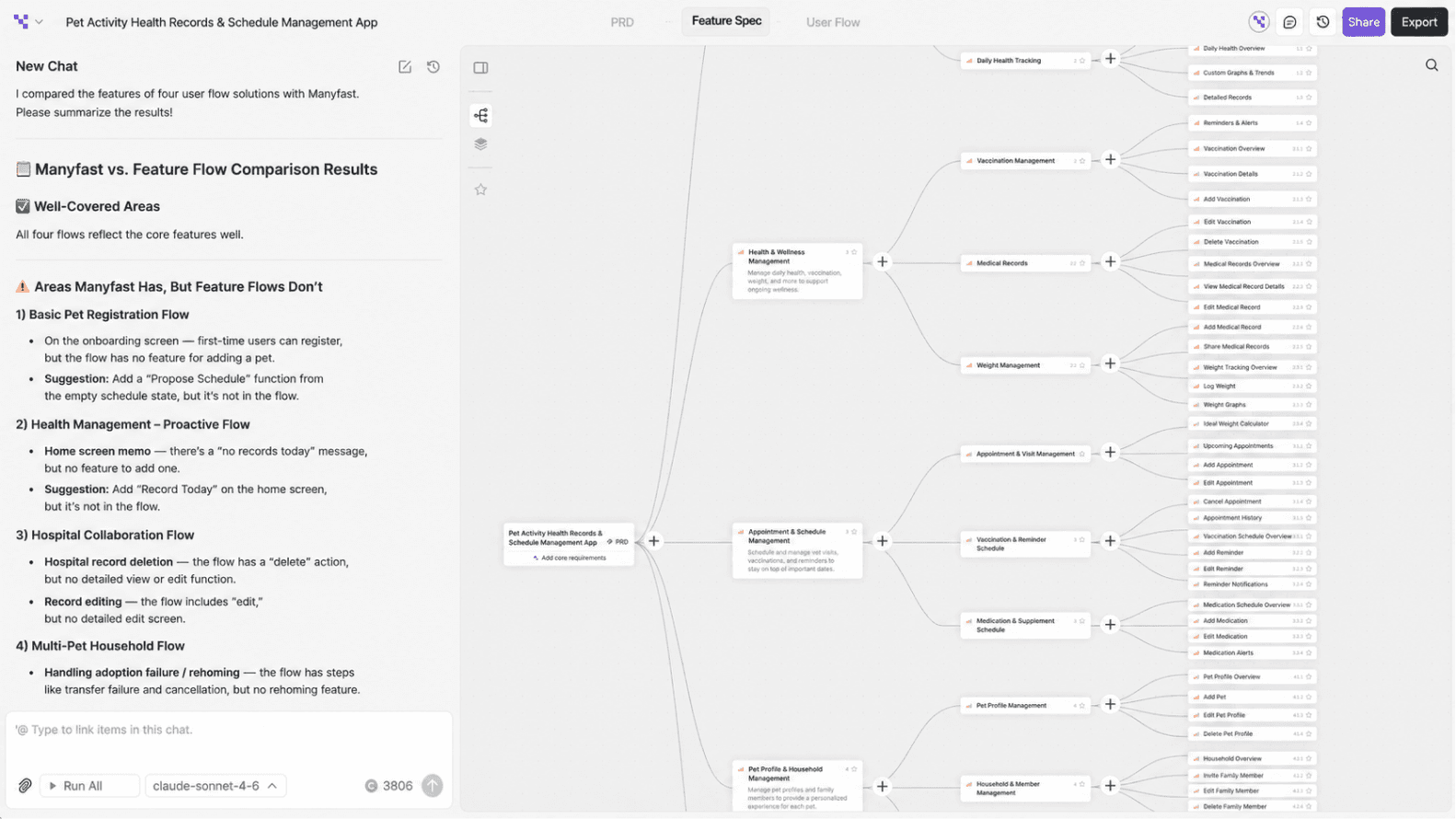
<Manyfast Screenshot: Manny’s cross-check result screen>
Step 4. Add the Missing Items to the Feature Specification
Review the items Manny found, then ask Manny to add them.
“Add the missing detailed features.”
Manny adds the items according to the existing structure of the feature specification.
You can then see the feature specification being automatically improved.
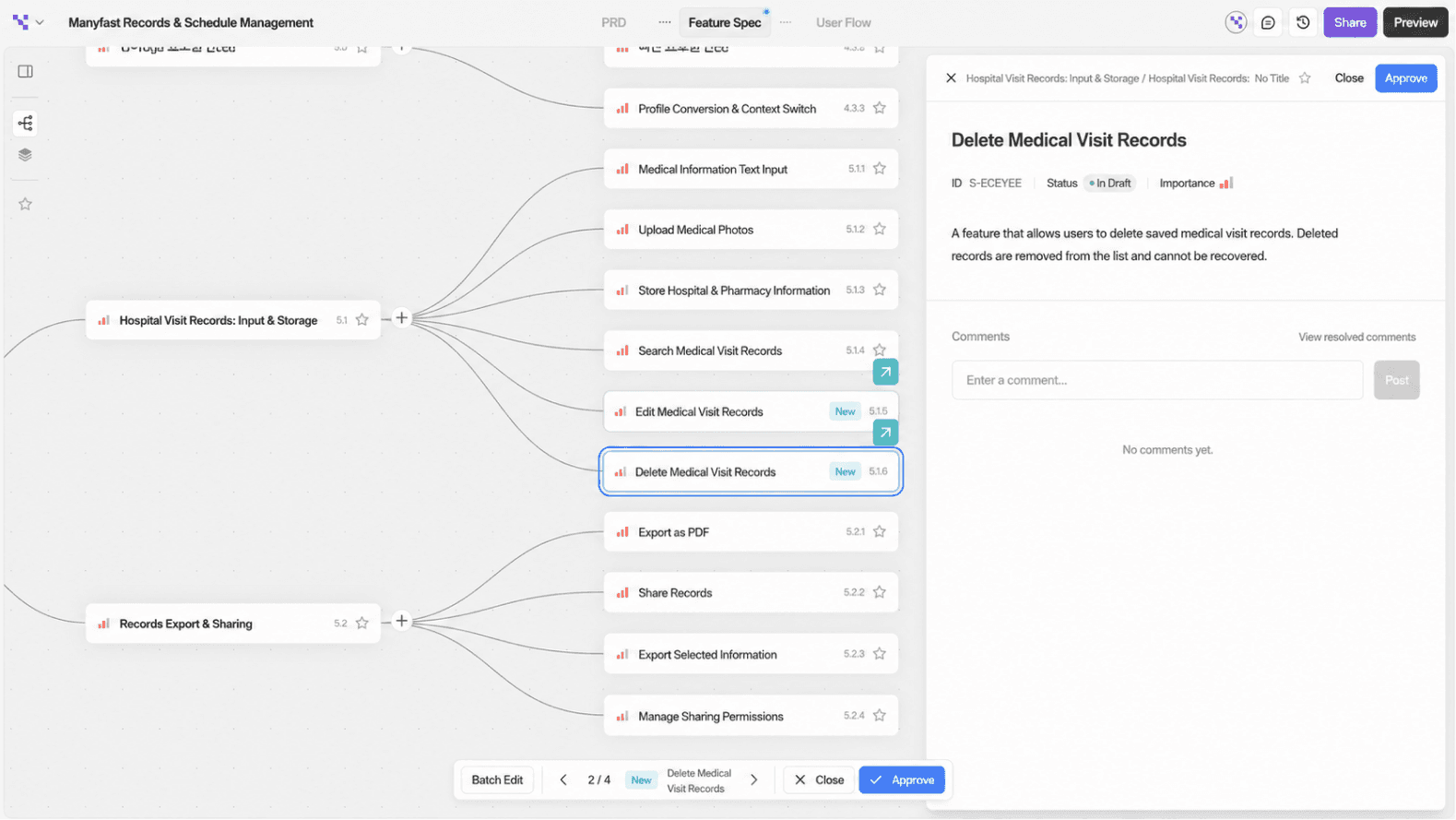
<Manyfast Screenshot: New items added to the feature specification>
To Sum Up
The feature specification defines what to build.
The user flow shows how users move through the product.
Even if the features are well defined, the feature list alone does not show how those features should connect or what unexpected edge cases might occur.
Because both deliverables exist in the same workspace, and because you can move back and forth between them by talking with Manny, you can catch planning gaps before development begins.
Things You Can Try Today
Ask Manny in the chat : “What user types do you think would use this service?”
Request user flows one by one for each suggested user type.
Ask: “Compare the user flows with the feature specification and let me know if anything is missing.”
Add the items Manny identifies to the feature specification.
Back to list
