From Planning to Prototype in One Day — Manyfast Workshop Review Using Cursor
These days, it’s not hard to hear stories like “I built an app with AI.” Thanks to tools like Cursor, Claude Code, and Lovable, outputs that used to require weeks of collaboration with developers can now be created with just a few lines of prompts. But as development becomes faster, the importance of planning — organizing what to build and how to build it — has become even greater.
Today’s story comes from Jaedeok Kim, a planner and the operator of the community “IT Playground.” Together with community members, he held a workshop where participants turned ideas into planning documents and then used those documents to build prototypes directly in Cursor. This article is a review from that workshop.
This article has been edited into a readable article format based on the valuable manuscript Jaedeok sent us. The content remains unchanged, without distortion, and we want to make it clear in advance that this is a genuine review we received after asking for honest feedback, with no monetary compensation involved.
What Kind of Community Is “IT Playground”?
Jaedeok is a fourth-year AI planner who transitioned from electrical engineering into planning. Because of that experience, he says he understands better than anyone how overwhelming it can feel to start something new. That is why he wanted to create a space where people could grow by trying things themselves, failing, and learning along the way.
“IT Playground” is a community for people working in IT-related roles or preparing for careers in IT, including planners, designers, developers, marketers, and founders. It is a place for IT people who enjoy trying quickly, failing, and building again.

<The community personally run by Jaedeok with around 300 members. Source - Small Group ‘IT People's Playground'>
“I Have an Idea, But I Don’t Know Where to Start”
While running the community, Jaedeok often hears two concerns from members.
The first is that writing a planning document for the first time feels overwhelming. People have ideas, but when they try to make them concrete, they do not know where to start or what structure to use. Many stop at the planning stage.
The second is that they do not know how to connect AI to real work. There are more than enough AI tools, but it is difficult to figure out exactly where and how to apply them to your own workflow.
Jaedeok says that while using Manyfast himself, he experienced that barrier becoming lower. What impressed him most was that he could quickly bring an idea in his head out into the form of a prototype.
“I thought Manyfast could fill exactly these gaps.”
That was the decisive reason he planned the workshop. From here on, we’ll share what Jaedeok observed firsthand during the workshop.
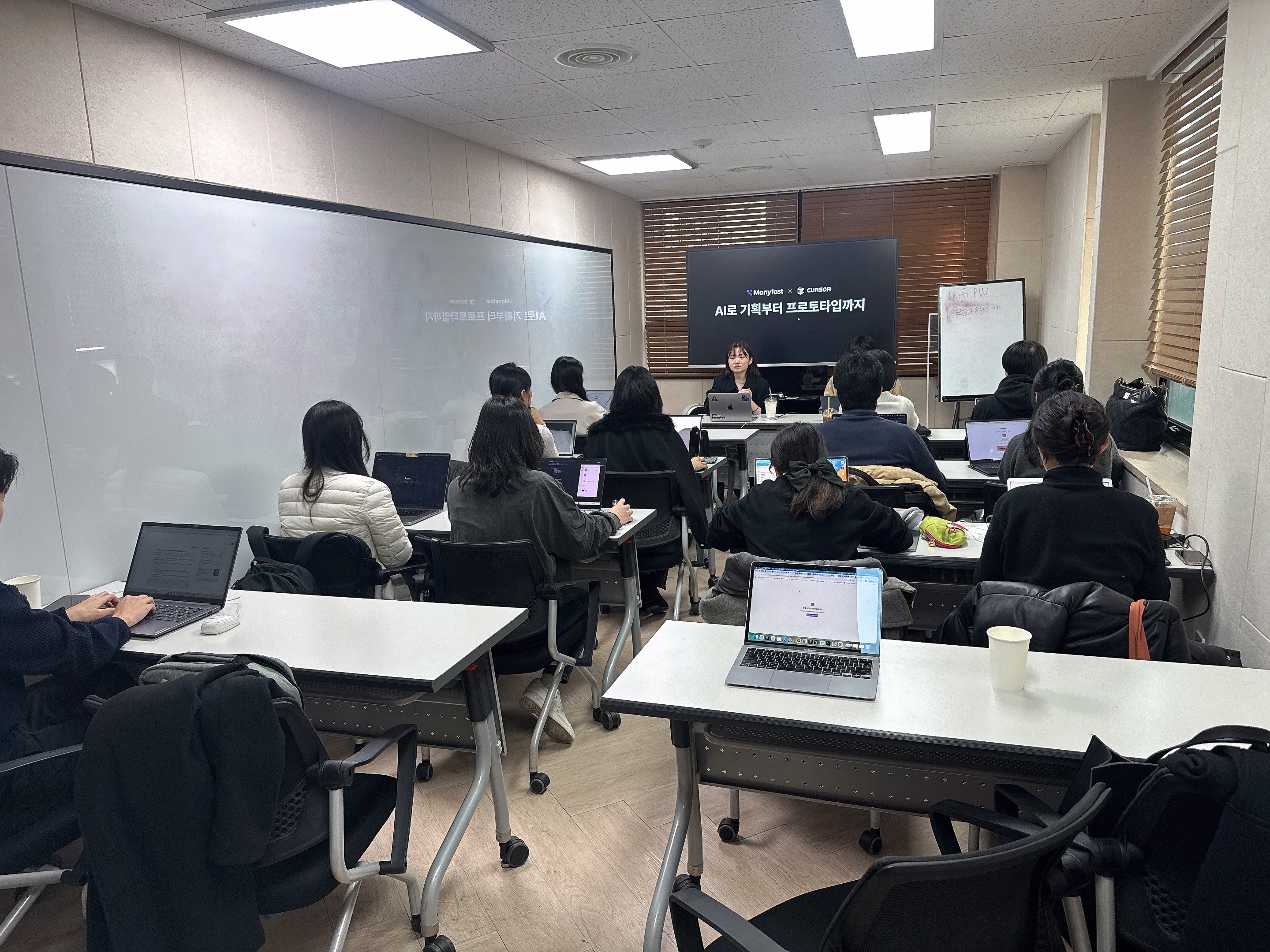
<Photo from the Manyfast workshop with members of the IT Playground community>
Workshop Scene — From Planning to Screens
First Step: Planning in Manyfast
The hands-on session began by entering a single-line idea. Based on the ideas participants entered, AI presented a questionnaire, and participants naturally completed their PRDs by answering those questions. It was structured so that parts they might not have thought of when planning alone were filled in one by one through the questions.
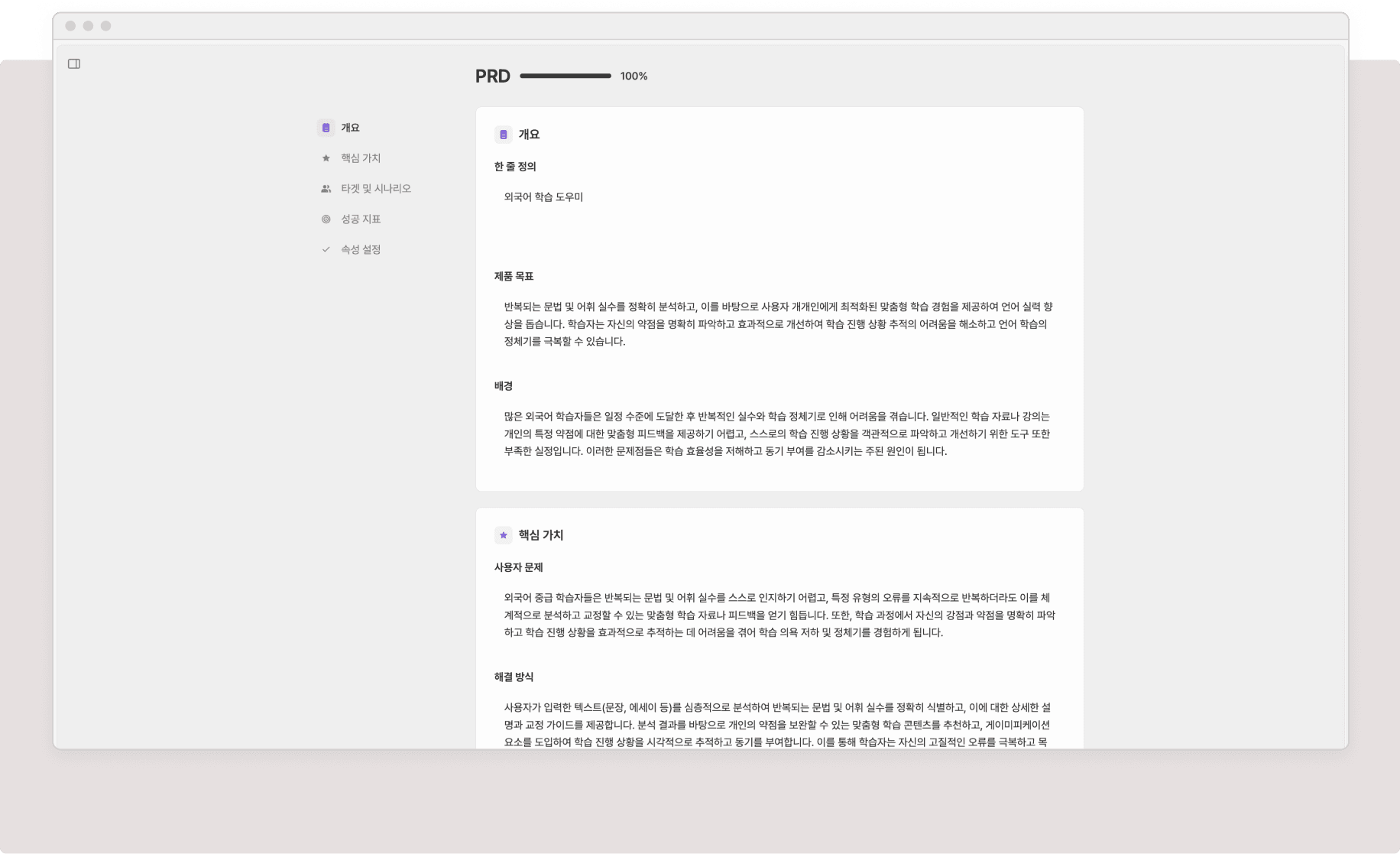
<An automatically completed PRD organized by section based on questionnaire answers. Source: Manyfast screenshot>
Jaedeok shares that participants found particular value in the structured deliverables. A PRD document was generated with sections such as the product goal, target users, and user problems, and based on that content, a Feature Spec was automatically created to define what features were needed. The Feature Spec organized key features in a hierarchy, making it easier for both AI and developers to understand. Even if you do not know where to start planning, Manyfast helps you begin within a structured flow.
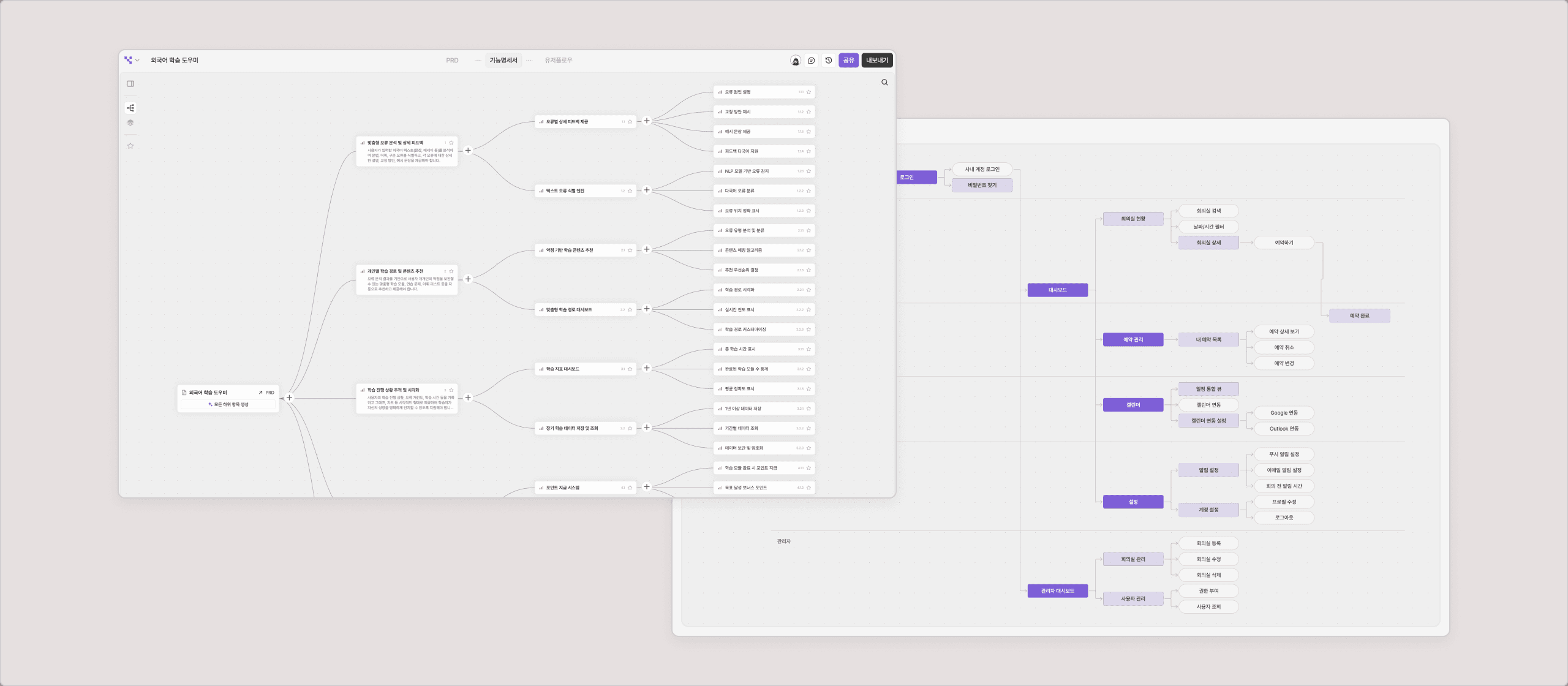
<Feature Spec and User Flow screens generated based on the PRD. Source: Manyfast screenshot>
Easy Development in Cursor, Even for Non-Developers
Once the planning was complete, the next step was connecting it to Cursor through MCP. MCP is a connection protocol that allows an AI model to directly access external tools or data. Put simply, it is the pathway that lets Cursor directly read the planning documents created in Manyfast.
There is no need to copy and paste the planning content or write a new prompt.
“Read the Manyfast document. Start implementing.”
That one sentence is enough.
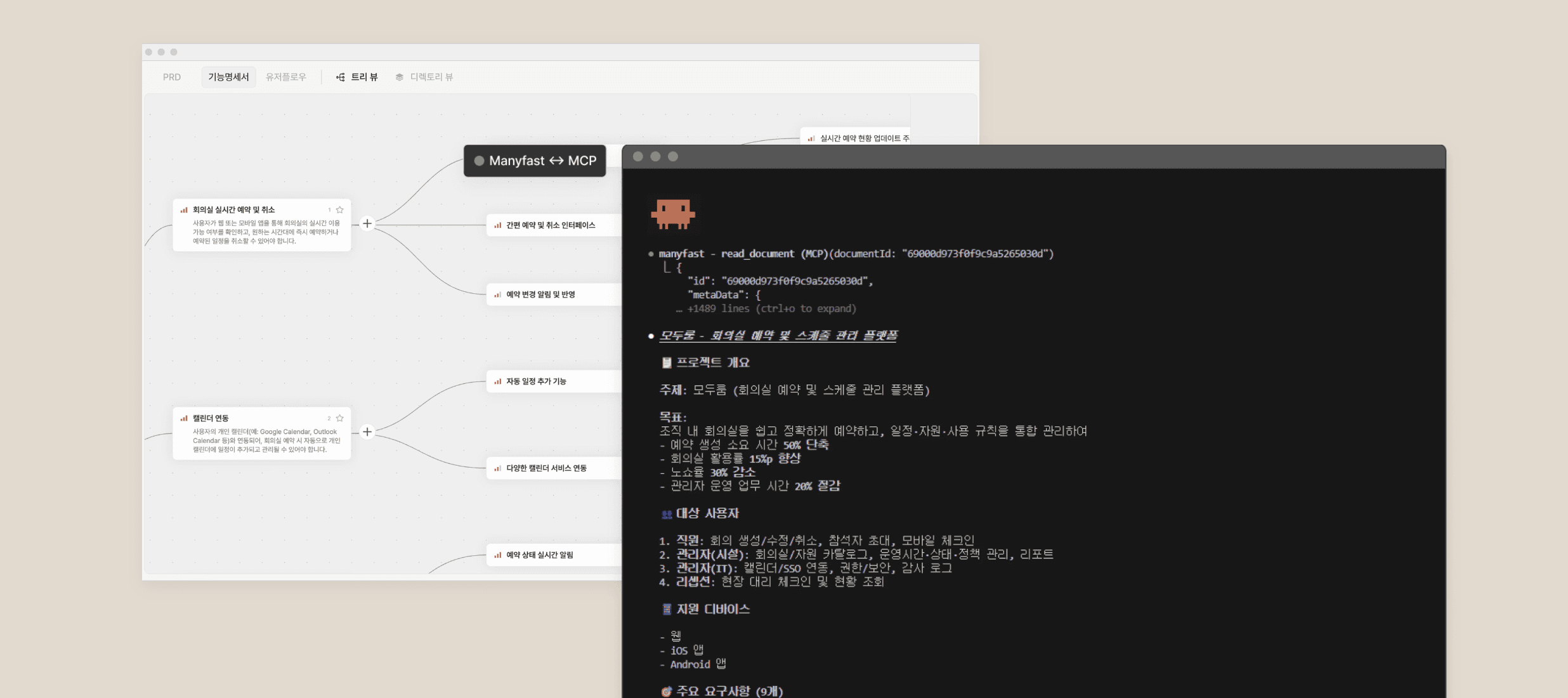
<Manyfast supports MCP integration with major AI development tools such as Cursor, Claude Code, Antigravity, and Lovable. Source: Manyfast screenshot>
For planners and non-developers, even if vibe coding is a hot topic, it can still feel overwhelming to figure out where to begin. Developers, on the other hand, may know how to implement things but struggle with how to organize the planning. In the end, both sides face the same wall: turning what is in their heads into a form AI can understand.
The connection between Manyfast and Cursor is where that wall starts to come down.
AI has limitations when it comes to understanding long blocks of text all at once. Manyfast documents, on the other hand, are structured in a hierarchy of PRD → Feature → Detailed Feature, so Cursor can accurately identify how a feature should work on a specific screen and implement it accordingly.
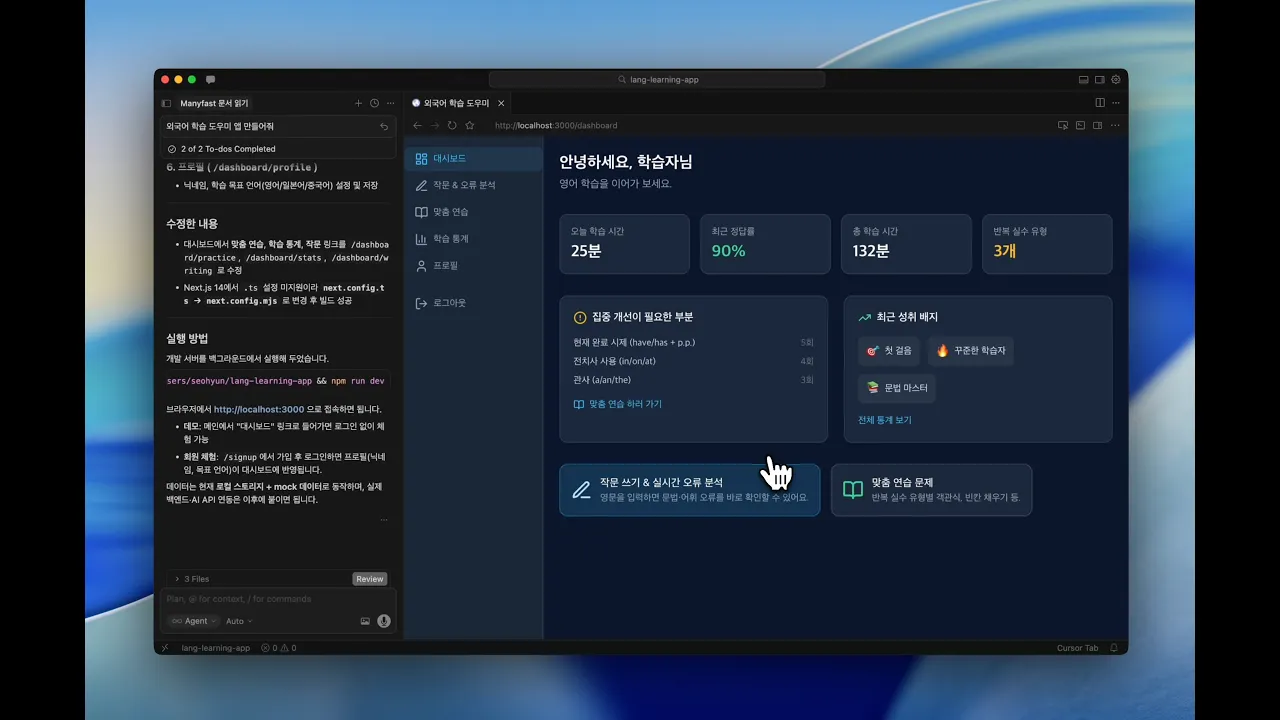
Using the planning documents created in Manyfast, the participants were able to build an actual clickable prototype in Cursor on the same day. It was a moment where we could clearly see that the more precise the planning content is, the better the final result becomes.
<The process of Cursor reading Manyfast documents and implementing a prototype. Source: Manyfast screenshot>
After the Workshop
During the workshop, participants experienced the entire process of turning an idea into a working screen on the same day. In a post-workshop survey, every respondent — including those with no planning experience — rated Manyfast as either “easy” or “very easy” to use.
Jaedeok shared his own impression like this.
“Honestly, I was surprised. It was impressive that such a well-organized document could be generated this quickly. Usually, turning an idea into something implementable requires collaboration with developers or a long preparation process, but Manyfast felt like it dramatically reduced that gap.”
After the workshop, many participants said, “I need to try this at work right away.”
“As the organizer, the most rewarding moment was seeing people not just find it interesting, but immediately feel its practical potential.”
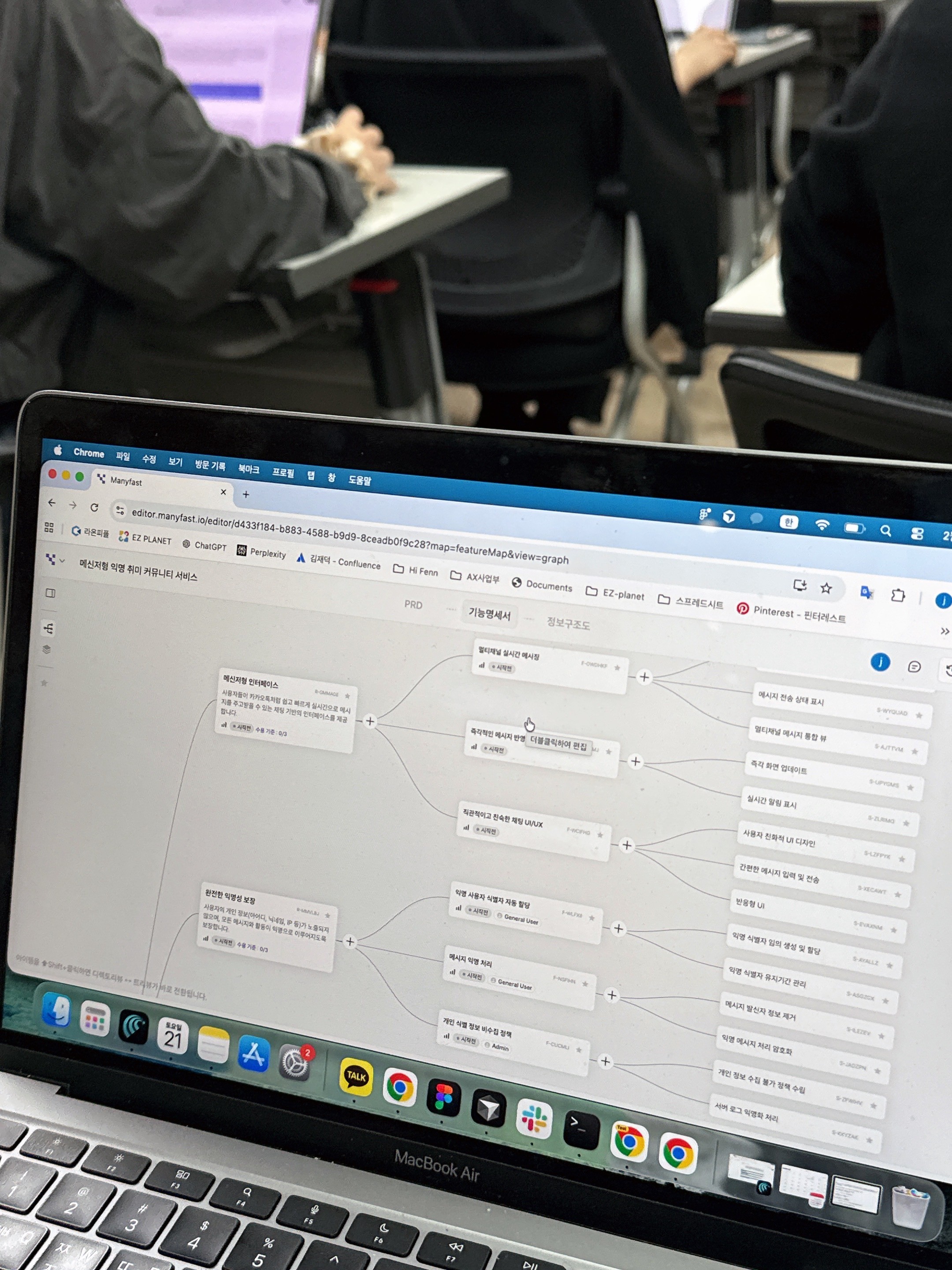
<Photo 2 from the Manyfast workshop with members of the IT Playground community>
There were also some points that felt lacking. Some participants got stuck during the MCP connection process. This was less about Manyfast itself and more about the setup required to connect with Cursor, which became a hurdle for those unfamiliar with it. For people who are still new to vibe coding, this part can feel especially difficult. If this connection process becomes simpler in the future, more people will be able to experience the full workflow without interruption.
In terms of deliverables, participants felt that the basic structure was solid, but customizing it to fit the specific context or uniqueness of a service felt somewhat difficult. Some also commented that “when improving an existing service or adding a specific feature, the way to use it can feel a bit tricky.” Since Manyfast currently shines most in the stage of creating something from 0 to 1, Jaedeok suggested that if it can also be used more naturally for improving existing services, it could become a tool that works in many more situations.
Jaedeok especially recommended Manyfast for these types of people.
Startup founders who want to validate an MVP quickly — You can quickly check the potential of your idea.
Office workers who want to start a side project — You can create a first version even without development resources.
People who do not know where to start planning — Manyfast helps you begin planning within a structured flow.
A Note from Team Manyfast
Through the workshop with Jaedeok and the “IT Playground” community, we were once again able to confirm that even though vibe coding has become faster, the flow connecting planning and development can still feel unfamiliar. We also confirmed that there is a clear need for a tool that helps bridge that gap.
Manyfast will continue narrowing that gap so that the process from planning to implementation can flow without interruption.
We are also preparing to make Manyfast a tool that can be used well when improving existing services. We will continue enhancing the agent so that it can guide users’ ideas into more concrete questions, building features that understand context across multiple projects and help teams share it, and expanding wireframe generation.
Beyond “0 to 1,” we will keep moving forward so that Manyfast becomes a tool that can be used naturally across the entire planning lifecycle.
Back to list
